
Why Patient Access Breaks When Healthcare Systems Do Not Share the Same Data
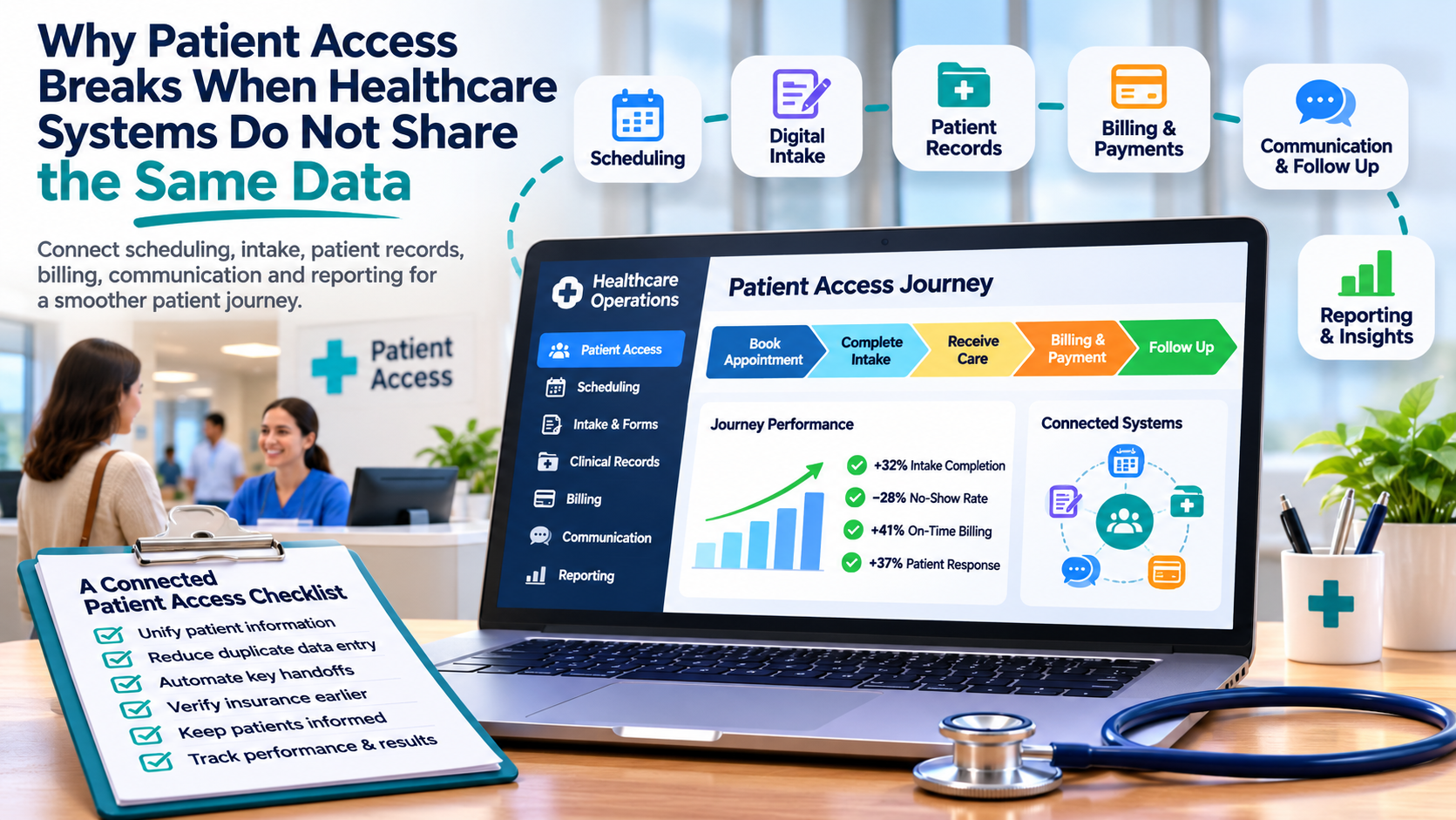
Why Patient Access Breaks When Healthcare Systems Do Not Share the Same Data
For a patient, accessing care can look simple.
Find a provider. Book an appointment. Complete intake. Confirm insurance. Attend the visit. Receive follow up instructions. Pay the bill.
Behind that journey, several systems may be involved.
Scheduling software, patient records, billing, CRM, communication platforms, insurance workflows, forms, and reporting tools may all hold part of the same patient story.
Problems appear when those systems do not share information reliably.
A practical approach to digital transformation in healthcare should connect the operational steps surrounding care so patients and staff do not repeatedly solve the same information problems.
Patient Access Starts Before the Appointment
The patient experience begins before someone enters the clinic.
A potential patient may:
-
Search for a provider
-
Review services
-
Request information
-
Book an appointment
-
Complete registration
-
Confirm insurance
-
Receive reminders
Each step generates information.
If that information stays inside separate systems, staff may need to copy details manually before the visit even begins.
Connected workflows can reduce that repeated work.
Scheduling Should Connect With Patient Information
Appointment scheduling affects clinical and administrative teams.
Useful scheduling data may include:
-
Patient identity
-
Provider
-
Location
-
Appointment type
-
Insurance information
-
Referral status
-
Required preparation
When these details live in separate systems, staff spend time verifying information that may already exist elsewhere.
A connected process can carry approved information forward while keeping each system responsible for the data it owns.
Digital Intake Should Remove Repeated Questions
Patients often provide the same information several times.
They may enter details online, repeat them over the phone, then complete another form at the facility.
This creates frustration and additional administrative work.
A better intake process can collect relevant information once and make approved data available to the teams that need it.
This can include:
-
Contact details
-
Demographics
-
Insurance information
-
Consent
-
Medical history
-
Referral information
The objective is to reduce duplicate entry while maintaining appropriate access controls.
Patient Identity Needs Careful Management
Connected systems depend on matching the right information to the right patient.
Small differences can create duplicate records.
For example:
Robert Smith
Bob Smith
Robert J. Smith
If systems create separate profiles, staff may work with incomplete histories.
Patient identity rules should consider appropriate matching criteria and review workflows for possible duplicates.
Accurate identity management supports scheduling, billing, reporting, and communication.
Insurance Verification Should Fit the Workflow
Eligibility checks can create delays when they depend on manual steps.
A patient may arrive while staff are still confirming coverage.
Where appropriate, eligibility information can be checked earlier in the process.
A workflow may look like:
Appointment booked
↓
Insurance information collected
↓
Eligibility checked
↓
Issue identified
↓
Staff review if needed
This gives teams more time to resolve problems before the appointment.
Communication Should Use Current Status
Patient communication becomes confusing when messaging platforms do not know what happened elsewhere.
A patient who cancelled an appointment should not continue receiving reminders for that visit.
A patient who already completed intake should not receive another request to complete the same form.
Communication systems should respond to current operational status.
Useful triggers can include:
-
Appointment booked
-
Intake incomplete
-
Appointment rescheduled
-
Appointment cancelled
-
Follow up required
-
Payment pending
This creates more relevant communication.
CRM Can Support Nonclinical Relationships
Healthcare organizations may use CRM for activities such as:
-
Patient inquiries
-
Referral relationships
-
Outreach
-
Service line interest
-
Follow up
-
Employer or partner relationships
CRM should have a clear purpose beside clinical systems.
It should not become another uncontrolled copy of every healthcare record.
Define which information belongs in CRM and how approved data moves between systems.
Billing Problems Often Begin Earlier
Revenue cycle issues may start long before a claim is created.
Missing information during scheduling or intake can create problems later.
Examples include:
-
Incorrect insurance details
-
Missing authorization
-
Wrong patient information
-
Incomplete documentation
-
Incorrect service information
Connecting front office and billing workflows helps teams identify these issues earlier.
The goal is to prevent avoidable rework at the end of the process.
Define Which System Owns Each Data Point
Connected healthcare environments need clear data ownership.
For example:
Scheduling system
Appointment time and provider availability.
Clinical system
Clinical documentation and care records.
Billing system
Claims, invoices, and payment status.
CRM
Approved relationship and engagement information.
Other systems may read selected information.
Ownership should remain clear so conflicting updates do not overwrite one another.
Use Interoperability With a Clear Purpose
Connecting systems should support a specific workflow.
Useful questions include:
-
Which information needs to move?
-
When should it move?
-
Which system owns it?
-
Who can access it?
-
What happens when the transfer fails?
Connecting systems without these rules can create more confusion.
Integration design should follow the operational process.
Make Exceptions Visible
Healthcare workflows will always include situations that need human review.
Examples include:
-
Eligibility failure
-
Missing referral
-
Duplicate patient
-
Scheduling conflict
-
Failed data transfer
-
Missing consent
-
Billing exception
These cases should not disappear inside technical logs.
Create a visible exception process with:
-
Clear reason
-
Assigned owner
-
Priority
-
Required action
-
Resolution status
Staff can then focus on the cases that actually need attention.
Reduce Manual Handoffs
Many delays occur when one department waits for another person to send an email, update a spreadsheet, or change a status.
Identify handoffs such as:
Scheduling to intake
Intake to clinical team
Clinical team to billing
Billing to patient communication
For each handoff, ask whether the next step can be triggered automatically once the required information is complete.
This can reduce waiting time without removing human oversight where it is needed.
Build Reporting From Operational Data
Healthcare organizations often spend significant time preparing operational reports.
Useful reporting may include:
-
Appointment volume
-
Cancellation rate
-
Intake completion
-
Eligibility issues
-
No show rate
-
Billing exceptions
-
Response time
-
Follow up completion
When workflows capture information consistently, reporting becomes easier.
Teams spend less time combining spreadsheets and more time reviewing what the numbers mean.
Protect Access to Sensitive Information
Connected systems require careful access design.
Users should only see information required for their responsibilities.
Review:
-
User roles
-
Permissions
-
Audit history
-
Authentication
-
Data sharing
-
Integration access
Access rules should remain consistent across the systems involved in the workflow.
Use AI After the Data Flow Is Reliable
AI can assist with areas such as:
-
Intake support
-
Document classification
-
Summaries
-
Routing
-
Follow up assistance
-
Reporting
Its usefulness depends on reliable information.
If patient records, appointment status, or operational data disagree across systems, AI receives weak context.
Improving the underlying data flow creates a stronger foundation for later AI use.
Measure the Patient Access Journey
Technology changes should connect with measurable outcomes.
Useful measures may include:
-
Time to schedule
-
Intake completion rate
-
No show rate
-
Eligibility issues
-
Manual data entry
-
Billing rework
-
Patient response time
-
Staff processing time
These measures help teams see whether system changes are improving the actual workflow.
Start With One Patient Journey
Healthcare organizations do not need to replace every system at once.
Choose one journey with visible friction.
For example:
Appointment request → Scheduling → Intake → Visit → Billing → Follow up
Map each step.
Identify where information is repeated, delayed, missing, or manually transferred.
Fix the highest value gaps first.
Then measure the result.
Connected Healthcare Systems Should Make Access Easier
A patient should not experience the complexity of the technology behind their care.
They should be able to schedule, provide information, receive communication, attend the appointment, and complete follow up with as little unnecessary friction as possible.
Staff should also have access to the information required for their part of the process without repeatedly recreating records.
When scheduling, intake, clinical systems, billing, communication, and reporting work together, healthcare technology becomes easier for both patients and employees to use.

 English
 Arabic
 French
 Spanish
 Portuguese
 Deutsch
 Turkish
 Italiano
 Russian
 Romaian
 Portuguese (Brazil)
 Greek