
Frequently Asked Questions About Pre Built Gaming Computers
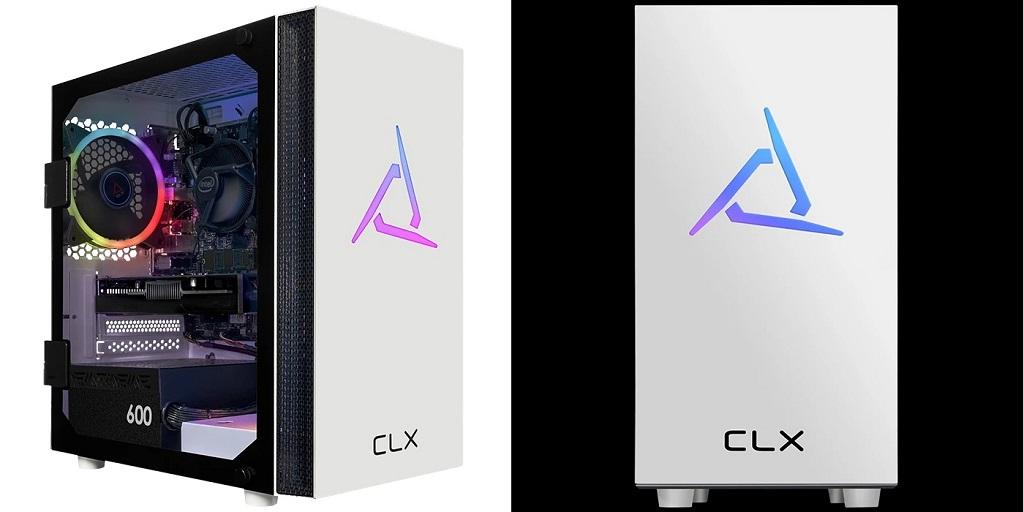
Pre built gaming computers come fully assembled, so you can get into PC gaming without installing each component yourself. Your choice of system depends on the games you play, your budget, and your monitor resolution.
When comparing PCs, consider the processor, graphics card, memory, and storage. These specifications determine how well a system runs your favorite games and which settings it can handle.
Which Components Matter Most in a Gaming PC?
Each component affects how your computer handles games and other applications.
- Graphics card (GPU): The GPU renders visuals, including textures, lighting, and detailed environments. A stronger graphics card supports higher resolutions and more demanding graphics settings.
- Processor (CPU): The CPU manages game logic, calculations, and background tasks. Its performance matters in strategy games, simulations, and titles with elaborate environments.
- Memory (RAM): RAM supports active applications and game data. Many gaming PCs start with 16GB, while 32GB offers more capacity for demanding games and multitasking.
- Storage: Solid-state drives (SSDs) reduce loading times and help games launch quickly. Check the available capacity to ensure it accommodates your operating system and game library.
Cooling and power supply deserve attention, too. Fans and heatsinks manage heat, while the power supply delivers electricity to your components. Both affect system stability during demanding gaming sessions.
How Do You Match a Gaming PC to Your Favorite Games?
Let your gaming habits guide your hardware priorities. Competitive titles such as Valorant benefit from high frame rates and responsive performance. Graphically demanding games may require a stronger GPU to maintain detailed visuals.
Monitor resolution also influences hardware requirements. Gaming at 1080p generally requires less graphics power than playing at 1440p or 4K. If you have a high-refresh-rate monitor, check whether your chosen PC can deliver the frame rates you need.
Review the recommended system requirements for your favorite games before comparing configurations. This helps you select hardware that fits your needs and budget.
What Should You Know About Upgrades?
Many gaming PCs support upgrades to RAM, storage, and graphics cards. However, compatibility depends on the motherboard, case dimensions, power supply, and cooling system.
Check available memory slots, storage connections, and internal space before purchasing. If you plan to upgrade later, confirm that the power supply can accommodate possible hardware changes.
Consider connectivity as well. USB ports support peripherals such as keyboards, mice, and headsets. Wi-Fi, Ethernet, and Bluetooth offer network access and support compatible wireless accessories.
Frequently Asked Questions About Pre Built Gaming Computers
- Are pre built gaming computers good for beginners?
Yes. These systems arrive assembled, so you can focus on installing games, updating drivers, and adjusting settings. Depending on the configuration, the operating system may already be installed.
- How much RAM does a gaming PC need?
For many modern games, 16GB provides a reasonable starting point. A 32GB configuration offers additional capacity for demanding titles, streaming, and multitasking.
- Can you upgrade a pre built gaming computer?
Many models allow upgrades to memory, storage, and graphics cards. Check the manufacturer’s specifications to confirm component compatibility before purchasing replacement hardware.
- How long does a gaming PC last?
A gaming PC may remain useful for several years, depending on its original specifications and your performance expectations. Upgrading selected components can extend its useful life.
- Are gaming PCs better than consoles?
Gaming PCs deliver adjustable graphics settings, upgrade options, and access to PC-specific games. Consoles provide a standardized gaming experience with hardware designed for a specific platform. Let your budget and preferred games guide your decision.
Explore Gaming PC Options
Choosing a gaming PC becomes easier when you understand your performance needs and the specifications that matter. Compare graphics cards, processors, memory, storage, and upgrade options before you decide.
Visit CLX Gaming to explore gaming PC configurations and learn more about available systems.
For more information About Online Gaming Computer and Best Custom Built Gaming Pc please visit: CLX Gaming.

 English
 Arabic
 French
 Spanish
 Portuguese
 Deutsch
 Turkish
 Dutch
 Italiano
 Russian
 Romaian
 Greek