
How to Choose, Connect, and Improve Your Home Security
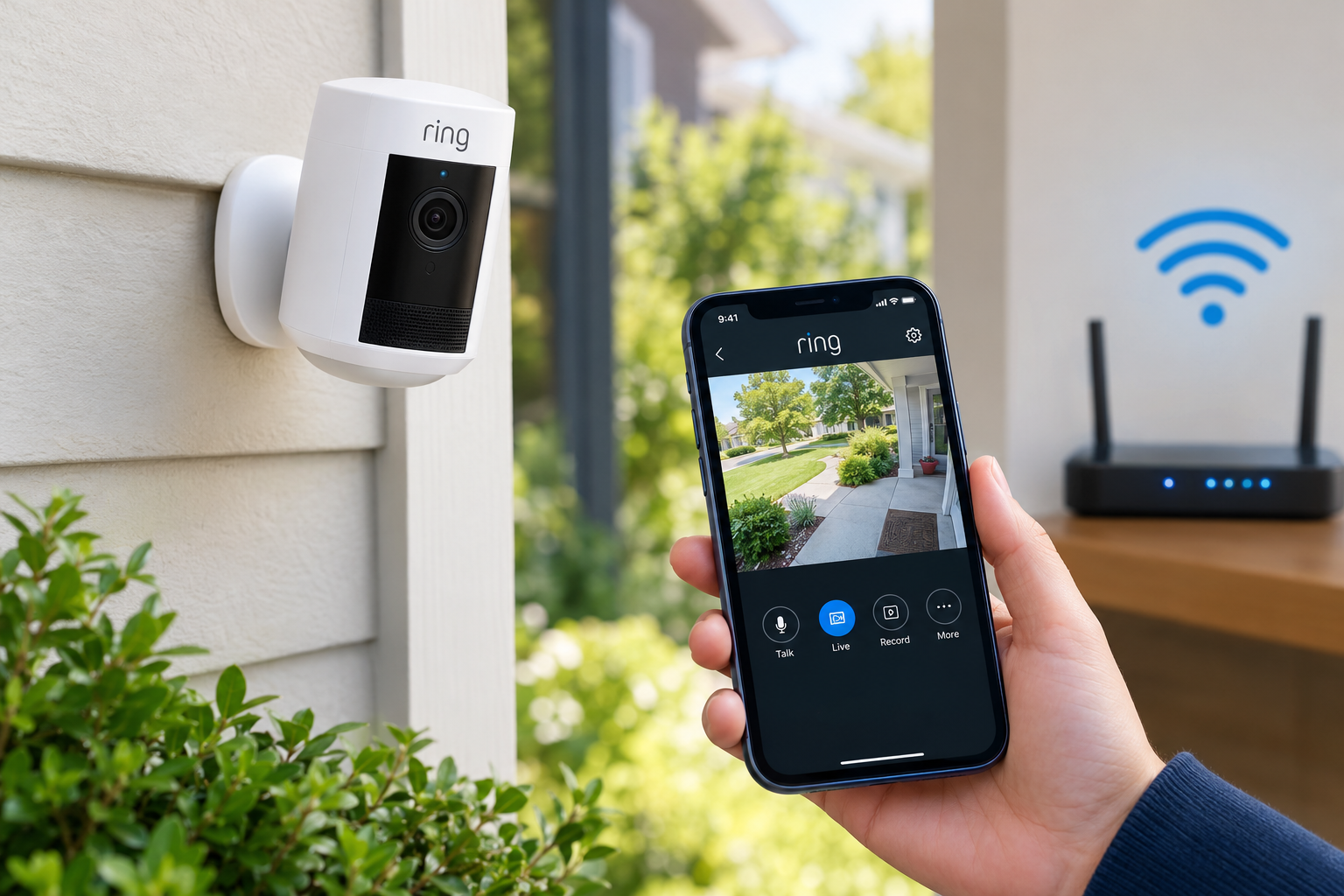
Keeping your home safe is easier when you can monitor your property from your smartphone, whether you are at work, traveling, or relaxing at home. Ring wireless security cameras offer a convenient way to check entrances, driveways, backyards, and other important areas without requiring extensive wiring. However, choosing the right camera is only one part of creating an effective home security system. A reliable Wi-Fi connection, proper installation, and appropriate camera placement are equally important.
Many homeowners experience problems such as delayed motion alerts, interrupted live video, or cameras that frequently disconnect. These issues can sometimes be related to weak wireless signals or an unreliable internet connection. Understanding how wireless security cameras work can help you make informed decisions and get more value from your home monitoring equipment.
What Are Ring Wireless Security Cameras?
Ring wireless security cameras are smart home monitoring devices designed to help homeowners view activity around their properties. Depending on the model, a camera may use a rechargeable battery, a removable battery pack, or another power source. Many models connect to a home's Wi-Fi network and allow users to view compatible camera feeds through the Ring app.
Common features may include motion detection, smartphone notifications, live video, two-way audio, and night vision. Available functions vary by model, settings, subscription, and region, so it is important to review the specifications before purchasing a particular device.
These cameras can be useful for monitoring front doors, garages, side entrances, gardens, and other areas where security visibility matters. Their wireless design can also make installation more flexible than a traditional wired surveillance system.
How Do Wireless Security Cameras Work?
Wireless security cameras generally use a local wireless network to communicate with a router and send video or event information to supported services. When a compatible camera detects movement, it may notify the homeowner through a mobile app, depending on its settings and available features.
The router connects the camera to the home's internet service, allowing supported remote-access features to work when the homeowner is away. This means that camera performance depends on more than the device itself.
Three elements are particularly important:
-
Camera quality: Resolution, viewing angle, night vision, and motion detection influence how useful recorded or live footage will be.
-
Wi-Fi coverage: The camera needs a sufficiently strong wireless signal at its installed location.
-
Internet service: Upload capacity, connection stability, and network congestion can affect remote viewing and cloud-based features.
A good understanding of these factors can help prevent common installation and connectivity problems.
Why Your Internet Connection Matters
Choosing suitable internet providers is an important step when setting up a smart home security system. Even a high-quality camera may struggle if the internet connection is unstable or the Wi-Fi signal cannot reach the installation area.
For example, a camera mounted near a front gate may be several walls away from the router. The camera might connect successfully during setup but later experience delays, missed notifications, or difficulty loading live video.
When comparing internet services, consider the following factors.
Upload Speed
Upload speed determines how quickly your home network can send data to remote services. Since security cameras transmit video and related information, adequate upload capacity is important, particularly when multiple devices are active.
The ideal speed depends on your camera models, video settings, number of connected devices, and other household internet activities. Check the manufacturer's requirements instead of relying on a single speed recommendation for every home.
Connection Stability
A consistent connection is often more useful than a high advertised speed that fluctuates throughout the day. Frequent outages or unstable service can interrupt remote access and delay notifications.
Before selecting an internet plan, review service availability at your address, reliability information, data limits, and the provider's terms.
Wi-Fi Coverage
Your internet plan may be fast, but that does not guarantee strong Wi-Fi throughout your property. Router placement, building materials, distance, and nearby wireless networks can all affect signal quality.
If a camera regularly disconnects, test the Wi-Fi signal at its exact mounting location before assuming that your internet plan needs an upgrade.
How to Set Up Ring Wireless Security Cameras
Correct installation helps your camera maintain a dependable connection and capture useful footage.
Step 1: Choose the Right Location
Identify the area you want to monitor, such as a main entrance, driveway, or backyard. Position the camera to capture the relevant activity while avoiding unnecessary views into neighbors' private spaces.
Consider lighting, weather exposure, mounting height, and whether nearby objects could block the camera's view.
Step 2: Check Your Wi-Fi Signal
Before permanently mounting the camera, test the wireless connection where you plan to install it. A location with weak signal strength may cause video delays or repeated disconnections.
If the signal is poor, consider moving the router, adjusting its position, or using a compatible Wi-Fi extender or mesh networking system.
Step 3: Follow the Ring App Instructions
Install the official Ring app and follow the setup instructions for your specific camera. Depending on the model, you may need to charge or install the battery, scan a setup code, select your wireless network, and complete the connection process.
Use the network requirements listed for your device, including supported Wi-Fi bands and security settings.
Step 4: Test Alerts and Video
Once the camera is connected, check live view, motion detection, notification settings, and audio features if available. Walk through the monitored area to confirm that the camera detects the activity you want to capture.
Adjust motion zones and sensitivity to reduce unnecessary alerts from passing vehicles, moving branches, or other routine activity.
Step 5: Secure Your Account
Use a strong, unique password for your Ring account and enable available multifactor authentication. Keep your phone, router, and camera software updated. Review account access and privacy settings regularly to help protect your security footage.
Common Ring Camera Problems and How to Fix Them
Wireless security camera problems do not always require replacing the device. A few basic checks can often identify the cause.
Camera keeps disconnecting: Check signal strength, restart the router if appropriate, and verify that the camera meets the network requirements. Persistent issues may require repositioning the router or improving wireless coverage.
Live video takes too long to load: Check your internet connection, upload performance, and the number of devices using the network. If several cameras are streaming simultaneously, overall network demand may be higher.
Motion alerts are delayed or missing: Review notification permissions on your phone, camera motion settings, and the device's connection status. Also check whether your phone is restricting background activity for the app.
Battery drains too quickly: Frequent motion events, repeated live viewing, environmental conditions, and device settings may affect battery life. Adjust motion zones where appropriate and check the manufacturer's recommendations for your model.
Video quality is inconsistent: Check wireless signal strength and available bandwidth. Also confirm that the camera lens is clean and that lighting conditions are suitable for the scene.
If the issue continues, consult Ring's official support resources for model-specific troubleshooting rather than changing settings that may not apply to your device.
How to Choose Between Internet Providers for Home Security
Not every household needs the most expensive internet package to operate wireless security cameras. The right choice depends on the size of your property, the number of cameras, and how frequently you use remote video features.
Start by comparing internet providers that serve your address. Review upload speeds, reliability, monthly costs, equipment charges, data allowances, contract terms, and technical support options.
Fiber internet may offer strong upload performance where available. Cable service can also support many home security setups, depending on the plan and local network conditions. Fixed wireless and satellite services may be suitable in areas with limited wired coverage, although performance, latency, data policies, and weather-related factors can vary by service.
If you use multiple smart home devices, video calls, online gaming, or streaming services, account for those activities when estimating your household's bandwidth needs.
Before upgrading your service, test the existing connection and Wi-Fi coverage. Sometimes, improving router placement or adding compatible networking equipment solves the problem without increasing the monthly internet bill.
Privacy and Maintenance Tips for Better Home Security
A reliable security system should protect both your property and your personal information. Review camera placement regularly to make sure it captures useful areas without unnecessarily recording private spaces.
Keep your devices updated, use secure account credentials, and share camera access only with trusted people. Understand the camera's recording options, storage arrangements, subscription requirements, and privacy controls before relying on particular features.
For battery-powered cameras, establish a charging or battery replacement routine. Periodically clean the lens, inspect mounting hardware, and test notifications. These simple maintenance steps can help keep your system working as expected.
Conclusion
Ring wireless security cameras can make home monitoring more convenient by providing supported video access, motion alerts, and other smart security features. However, the overall experience depends on selecting a suitable camera, installing it correctly, maintaining strong Wi-Fi coverage, and using a dependable internet connection.
When evaluating internet providers, look beyond advertised download speeds and consider upload performance, service stability, data policies, and availability at your address. By addressing connectivity, privacy, and maintenance from the beginning, homeowners can build a more dependable wireless security setup that supports everyday peace of mind.

 English
 French
 Spanish
 Portuguese
 Deutsch
 Turkish
 Dutch
Dutch
 Italiano
 Russian
 Romaian
 Portuguese (Brazil)
 Greek
Greek