
Smart TV Operating Systems Compared: What Matters Beyond the Interface?
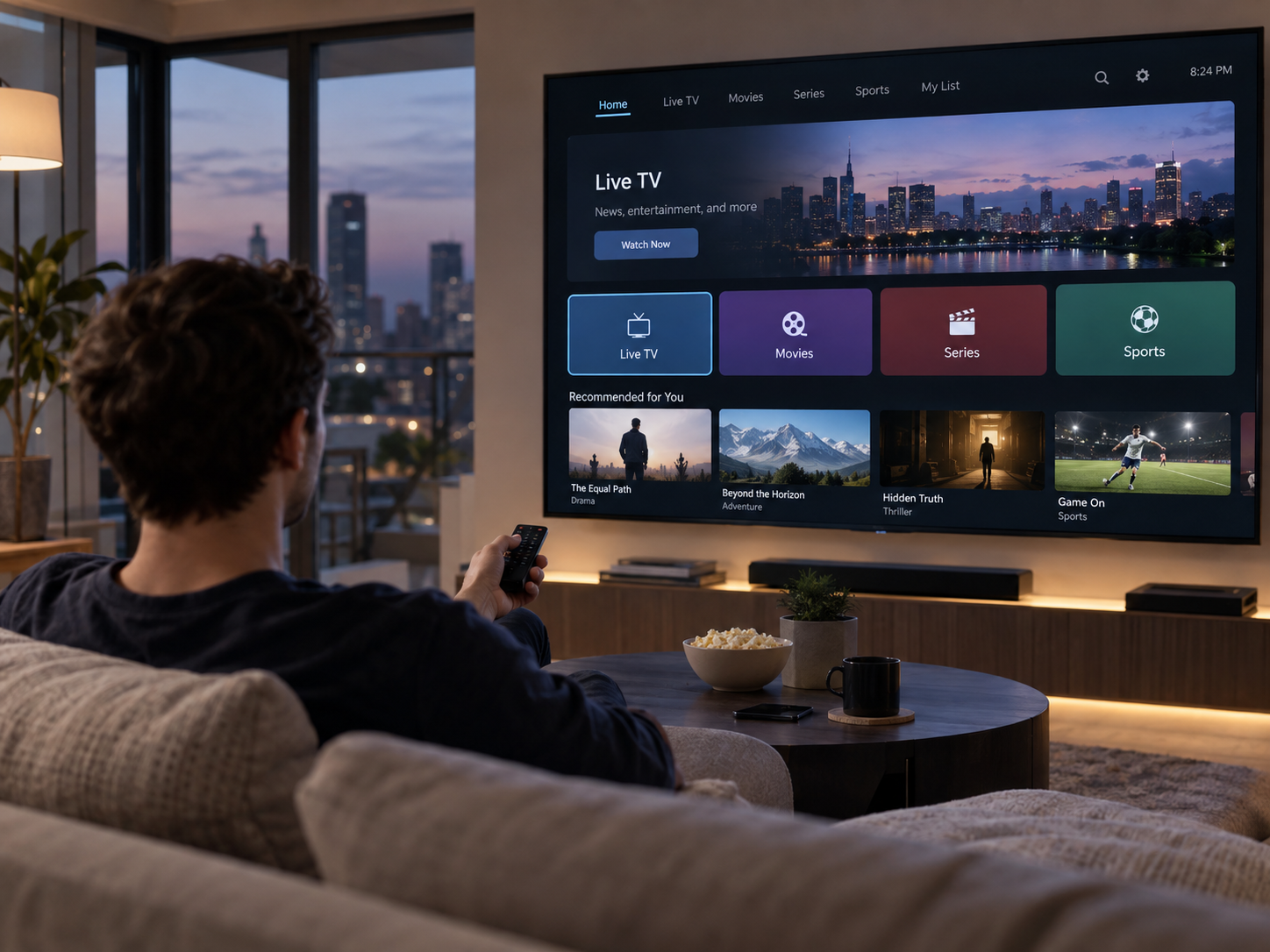
When shopping for a smart television, the home screen is often one of the first things people notice. Some interfaces look minimal and straightforward, while others display rows of recommendations, streaming applications, and personalised content. Although the interface affects everyday convenience, it is only one part of what makes a smart TV operating system useful.
The software running on a television determines which applications are available, how frequently the device receives updates, how well it integrates with other products, and how smoothly it handles everyday tasks. Two televisions with similar screen sizes and picture specifications can therefore provide quite different experiences because of their underlying software.
Understanding these differences can help buyers choose a television that fits their viewing habits, technical requirements, and expectations for long-term use.
What Does a Smart TV Operating System Actually Do?
A smart TV operating system manages the software and functions that make a television more than a display. It provides the environment for streaming applications, settings menus, network connections, voice controls, and other connected features.
Popular platforms include Google TV, Samsung's Tizen, LG's webOS, and Roku TV. Their availability varies by manufacturer and market, and each platform offers a different combination of applications, features, and integration options.
When comparing smart TV systems, it helps to look beyond the appearance of the home screen. The operating system affects how easily viewers can access services, install applications, manage connected devices, and keep their television up to date.
Application Availability and Compatibility
The first practical consideration is whether the operating system supports the applications you actually use. Major platforms provide access to many popular streaming services, but availability is not identical across every device, country, or software version.
A particular application may be available on one television platform but absent from another. Even when an application exists, certain features or video formats may vary depending on the device and service provider.
Before purchasing a television, make a list of essential applications and confirm that they are supported on the exact model being considered. This is especially important if you use regional streaming services, specialist media applications, or services that are less widely distributed.
Also consider how applications are installed and updated. Some platforms offer extensive app stores, while others provide a more controlled selection. A larger catalogue can offer flexibility, but the number of available applications matters less if the ones you need are missing or poorly maintained.
Performance and Hardware Matter as Much as Software
A smart TV operating system can be well designed and still feel sluggish when it runs on limited hardware. Processor capability, available memory, storage, and software optimisation all influence how quickly the television responds.
A slower television may take longer to open applications, move between menus, load artwork, or resume playback. These delays can become more noticeable over time as applications grow more complex or the software receives new features.
What to Look for in Everyday Performance
If possible, test a television in a showroom or review demonstrations that show real navigation rather than only promotional footage. Pay attention to how quickly applications launch, whether menus respond consistently, and how smoothly the television switches between inputs.
It is also worth checking how the TV behaves when several applications have been used during one session. Some devices retain applications in memory efficiently, while others reload them more frequently.
Specifications do not always reveal the full story because manufacturers may not disclose detailed information about memory or processing hardware. Reliable long-term reviews can therefore be more useful than comparing processor descriptions alone.
Software Updates and Long-Term Support
A television is often expected to remain in use for many years, making software support an important purchasing consideration. Updates can fix security vulnerabilities, resolve bugs, improve compatibility, and sometimes introduce new features.
However, update policies differ between manufacturers and models. A platform may be actively developed, but that does not guarantee every older television will receive the same updates or receive them at the same time.
Before buying, look for clear information about the model's software support and update policy. Consider whether the manufacturer has a history of maintaining older products and whether important applications are likely to remain compatible.
Why Security and Privacy Deserve Attention
Smart televisions connect to home networks and may collect information about application usage, viewing activity, voice commands, or device interactions, depending on the model and settings.
Review the privacy options during initial setup. Some televisions allow viewers to limit personalised advertising, disable certain forms of viewing-data collection, or control microphone access. The exact choices vary by platform and region.
Keep software updated, use secure Wi-Fi settings, and avoid installing unofficial applications from untrusted sources. If the television includes voice control, understand how the microphone is activated and how voice data may be handled.
A useful operating system should provide clear settings and understandable controls rather than making privacy options unnecessarily difficult to find.
Integration With Other Devices
A smart television rarely operates alone. It may be connected to a soundbar, game console, streaming device, smart speaker, wireless headphones, or other home equipment. The quality of these connections can be just as important as the built-in application catalogue.
HDMI-CEC, for example, can allow compatible devices to coordinate certain functions. Depending on the equipment, a television remote may control soundbar volume or turn connected devices on and off. HDMI ARC and eARC can also simplify audio connections with compatible sound systems.
Wireless integration differs between platforms. Some televisions support Apple AirPlay, Google Cast, or particular smart-home ecosystems, while others offer alternative combinations. Compatibility should be checked against the devices already in your household.
If you frequently share videos or photos from a phone, confirm whether your preferred casting or screen-mirroring method works directly. A feature advertised under a broad label such as “screen sharing” may not support every phone or application.
Recommendations, Search, and Content Discovery
Many smart TV platforms try to help viewers discover content by displaying recommendations across different applications. These features can save time when they work well, but their usefulness depends on personal preferences and the services being used.
Some interfaces emphasise content from several installed applications, while others focus more heavily on a particular ecosystem. Recommendations may also be influenced by viewing activity, subscription availability, regional catalogues, and promotional arrangements.
A useful search feature should make it easy to find a film, actor, or programme without opening each application separately. However, cross-platform search does not always include every service or show whether a title requires an additional purchase.
Consider whether the interface allows you to customise the home screen, remove unwanted recommendations, rearrange applications, or disable features you do not use. Personalisation can make a television feel more convenient, but excessive clutter can have the opposite effect.
Advertising and the Overall User Experience
Smart TV interfaces increasingly include sponsored content, promotional tiles, or recommendations designed to encourage viewers to try particular services. The amount and placement of these elements vary by platform, region, and software version.
For some users, recommendations are helpful shortcuts. Others prefer a simple interface that prioritises installed applications and connected devices.
Before choosing a television, look at current examples of the interface and check which elements can be customised. Do not assume that a cleaner-looking demonstration represents the complete experience after setup or software updates.
It is also useful to understand whether the television requires an account for certain features. Some functions may work without signing in, while application downloads, synchronisation, voice services, or personalised recommendations may require an account.
Comparing Popular Smart TV Platforms
Each major platform has strengths, but the best choice depends on the television model and the user's priorities.
| Platform | Common strengths | What to check |
|---|---|---|
| Google TV | Broad application ecosystem, content discovery, integration with Google services | Model performance, application availability, privacy settings |
| Samsung Tizen | Integration with Samsung televisions and connected devices | Support for preferred applications, update policy, interface preferences |
| LG webOS | Television-focused interface and integration with LG features | Application compatibility, model-specific capabilities, support period |
| Roku TV | Straightforward navigation and a streaming-focused experience | Regional availability, supported services, device specifications |
These are general platform characteristics, not guarantees for every television. Features can differ between model years, regions, and hardware tiers. A lower-cost television and a premium model may run the same operating system but offer different performance and connectivity.
Should You Choose a TV With an External Streaming Device?
An external streaming device can be a practical alternative when a television's built-in software is slow, no longer receives useful updates, or lacks a preferred application.
Depending on the device, an external player may offer a different application catalogue, a more responsive interface, or additional casting and smart-home features. It can also extend the useful life of a television whose display quality remains satisfactory.
There are trade-offs. You may need an extra HDMI port, another remote control, and an additional power connection. Some features, including advanced video formats or surround-sound passthrough, depend on compatibility between the television, external device, and audio equipment.
If built-in software is a deciding factor, compare the total cost of the television and any external device you may need. This can be more useful than paying a premium for an operating system that offers features you rarely use.
How to Choose the Right Smart TV Operating System
Start with your viewing habits and work outward from there. If you use a small number of streaming services, a simple interface with reliable application support may be sufficient. If you depend on voice search, casting, smart-home integration, or a particular ecosystem, compatibility should receive greater attention.
Use this checklist before making a purchase:
-
Confirm that your essential applications are supported.
-
Check independent reviews for responsiveness and stability.
-
Review the manufacturer's software-update policy.
-
Verify compatibility with your phone, soundbar, and other devices.
-
Explore privacy settings and the amount of promotional content.
-
Consider whether an external streaming device could provide more flexibility.
Remember that picture quality, brightness, contrast, motion handling, and connectivity remain important. A well-designed operating system cannot compensate for a display that does not suit your room or viewing preferences.
Conclusion
A smart TV operating system influences far more than the appearance of the home screen. Application support, processing performance, software updates, privacy controls, device compatibility, and content discovery all contribute to the everyday viewing experience.
The most suitable platform is the one that works reliably with your preferred services and connected devices while remaining easy to maintain. By checking these practical details alongside picture quality and hardware specifications, you can choose a television that serves your needs long after the initial setup.

 English
 Arabic
 French
 Spanish
 Deutsch
 Turkish
 Dutch
Dutch
 Italiano
 Russian
 Romaian
 Portuguese (Brazil)
 Greek
Greek