
IPTV Timeshift Explained: How to Pause, Rewind, and Resume Live TV
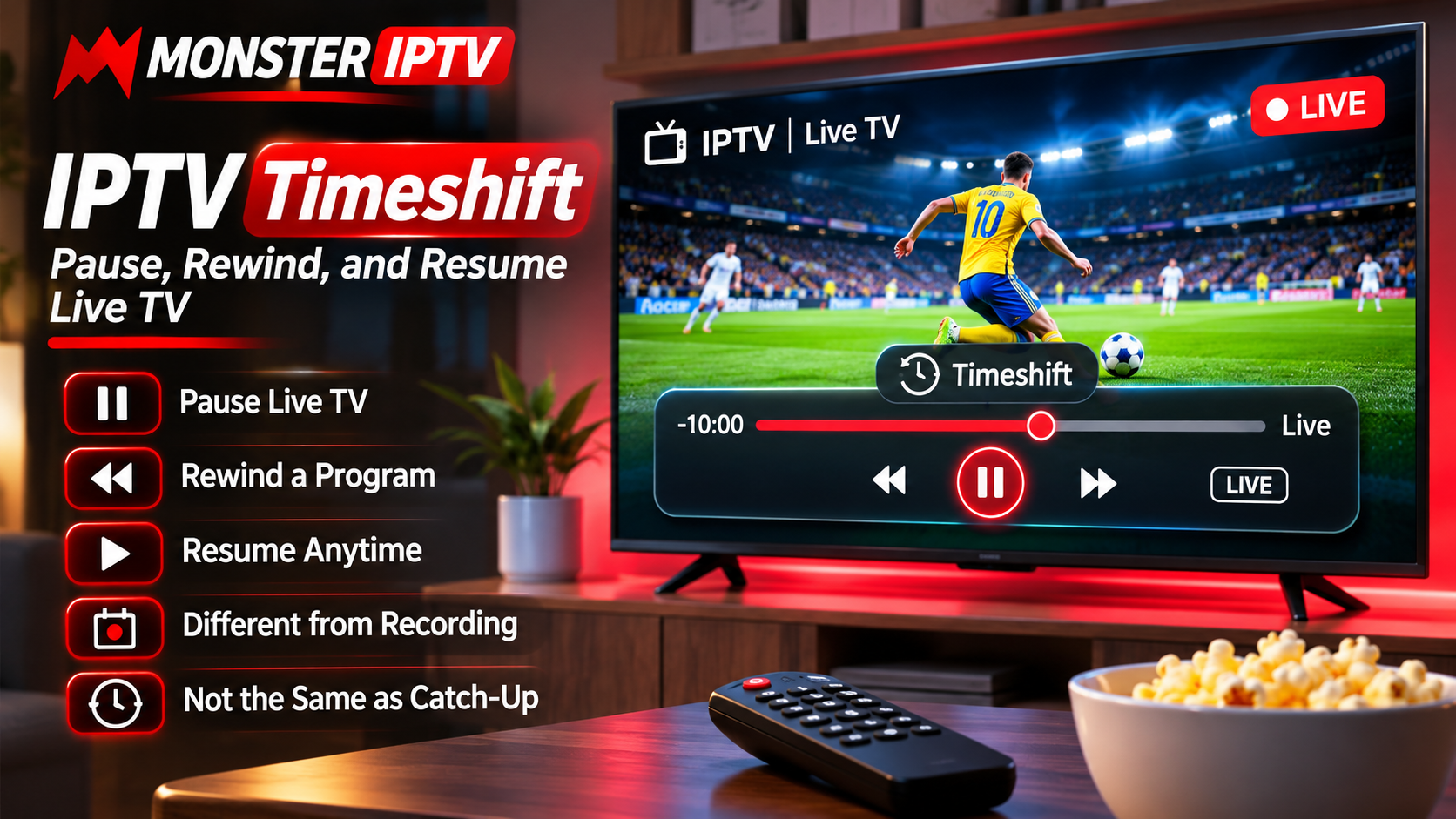
Live television traditionally required viewers to follow the broadcaster's schedule. If you missed part of a football match, needed to answer a phone call, or stepped away during a movie, there was often no simple way to recover the missed content.
IPTV timeshift can make live television more flexible by allowing supported players and services to temporarily store part of a live stream. Depending on the setup, viewers may be able to pause, rewind, and resume a program without waiting for a later replay.
This guide explains how IPTV timeshift works, what equipment may be required, and how it differs from recording and catch-up TV.
What Is IPTV Timeshift?
Timeshift is a feature that temporarily buffers live television so viewers can control playback.
Instead of watching only the exact moment being broadcast, a compatible IPTV setup may allow users to move backward within recently buffered content.
Typical timeshift controls can include:
-
Pause live TV
-
Resume playback
-
Rewind
-
Fast-forward toward the live point
-
Return directly to live television
The available functions depend on the IPTV service, application, and device.
How Does Timeshift Work?
When timeshift is enabled, the IPTV player may continuously save a temporary portion of the live stream.
This temporary buffer can be stored in:
-
Internal device memory
-
Device storage
-
USB storage
-
External drive
-
Server-side storage
If the viewer presses pause, the live broadcast continues in the background while the player holds the later content.
When playback resumes, the viewer continues from the paused position instead of immediately jumping back to live television.
Timeshift vs Recording
Timeshift and recording are related, but they serve different purposes.
Timeshift
Timeshift is usually temporary.
It is designed for short interruptions during live viewing.
For example, a viewer might pause a football match for ten minutes and then continue watching from the same point.
Recording
Recording is generally intended to save content for later viewing.
A recorded program may remain available until the user deletes it, depending on the application and storage system.
Timeshift buffers are commonly removed when the user changes channel, exits the app, or reaches a storage limit.
Timeshift vs Catch-Up TV
Catch-up TV is also different.
Timeshift
Timeshift works while or shortly after a live broadcast is being watched.
Catch-Up
Catch-up allows users to select programs that were broadcast earlier and remain available through the service.
A user might use timeshift to rewind five minutes during a live match, while catch-up could be used to watch a program that aired yesterday.
Why Timeshift Can Be Useful
Timeshift provides greater control over live television.
It can be helpful when viewers need to:
-
Answer a phone call
-
Take a short break
-
Rewatch a sports moment
-
Check something they missed
-
Pause during an interruption
-
Review a section of a news broadcast
For households that watch a lot of live TV, the feature can make streaming feel more flexible.
Does Every IPTV Service Support Timeshift?
No.
Timeshift support depends on several parts of the setup.
These may include:
-
IPTV provider
-
Channel
-
Player application
-
Streaming device
-
Available storage
A service may support timeshift on some channels but not others.
Likewise, an IPTV player may include timeshift controls even when the current stream does not support the feature.
Users comparing subscriptions, compatible devices, and playback features can review MONSTER IPTV alongside other options and check which capabilities are relevant to their preferred viewing setup.
Which IPTV Players Support Timeshift?
Timeshift availability varies widely between applications.
When choosing an IPTV player, look for features such as:
-
Timeshift
-
Pause Live TV
-
Live Buffer
-
Rewind Live TV
-
DVR
-
Live TV Control
Different apps may use different terminology for similar functionality.
The player documentation is usually the best place to confirm support.
Timeshift on Android TV Devices
Android TV and Google TV devices can provide flexible IPTV setups because many different players are available.
Depending on the application, timeshift may use:
-
Internal storage
-
External USB drive
-
Network storage
Users should make sure enough free storage is available before enabling a large timeshift buffer.
Timeshift on Smart TVs
Some Smart TV IPTV applications may support live pause or temporary buffering.
However, Smart TVs often have limited internal storage and stricter application permissions than dedicated streaming boxes.
Support therefore varies significantly between:
-
Samsung Tizen
-
LG webOS
-
Android TV
-
Google TV
-
Other Smart TV platforms
Check the specific application rather than assuming the television itself provides timeshift.
Using External Storage
Some IPTV applications allow timeshift data to be stored on a USB drive or external storage device.
This can be useful because live video can generate large temporary files.
Before using external storage, check:
-
Available space
-
File system compatibility
-
Device write speed
-
IPTV application support
A slow or unreliable storage device may cause playback problems.
How Much Storage Does Timeshift Need?
Storage requirements depend on:
-
Video bitrate
-
Resolution
-
Buffer duration
-
Audio quality
-
Compression
A longer buffer requires more space.
For example, storing an hour of Full HD video requires more storage than keeping only a few minutes of HD content.
Users do not necessarily need the largest possible timeshift buffer.
For everyday interruptions, a shorter buffer may be sufficient.
HD, Full HD, and 4K Timeshift
Higher-resolution streams create larger temporary files.
HD
HD generally requires less storage and can be easier for lower-powered devices to handle.
Full HD
Full HD provides greater detail but requires more storage bandwidth.
4K
4K timeshift can place much heavier demands on:
-
Storage
-
Device processing
-
Network connection
-
Memory
A device that plays 4K video normally may still struggle when simultaneously buffering and managing a large timeshift file.
Network Stability Still Matters
Timeshift does not eliminate the need for a stable internet connection.
The IPTV stream must continue arriving while the device stores it.
If the connection drops, the buffer may contain:
-
Missing sections
-
Freezing
-
Audio interruptions
-
Playback errors
Ethernet can be useful where Wi-Fi is unreliable.
Can You Pause Live Sports?
If the channel, service, and player support timeshift, live sports may be paused like other live television.
This can be useful when watching:
-
Football
-
Hockey
-
Motorsport
-
Tennis
-
Combat sports
However, viewers should remember that notifications, social media, or other devices may reveal results while they are watching on delay.
Returning to the Live Point
Most timeshift players provide a way to return immediately to the current live broadcast.
This may appear as:
-
Live
-
Go Live
-
Jump to Live
-
Return to Live
This is useful when the viewer no longer needs the delayed playback.
What Happens When You Change Channels?
In many IPTV applications, changing the channel clears the existing timeshift buffer.
For example, if you have rewound a football match and switch to a news channel, the previous temporary buffer may disappear.
This behavior depends on the player.
Users should not treat timeshift as permanent storage.
If content needs to be kept, recording may be the better option.
Why Timeshift Sometimes Fails
Several issues can affect timeshift functionality.
Not Enough Storage
The device may not have enough free space to create the buffer.
Slow Storage
An external USB device may not write data quickly enough.
Unsupported Channel
The particular stream may not support timeshift.
Player Limitation
The IPTV application may not provide live buffering.
Device Performance
Older hardware may struggle with simultaneous playback and storage.
Network Problems
An unstable connection can interrupt the stream being buffered.
Test Timeshift Before Relying on It
Before using timeshift during an important event, perform a short test.
Try:
-
Start a live channel.
-
Pause for one or two minutes.
-
Resume playback.
-
Rewind slightly.
-
Fast-forward toward live.
-
Switch back to the live point.
This confirms whether the player and device handle the feature correctly.
Timeshift and Device Storage
Users should periodically check available space if the player stores timeshift data locally.
A device that is almost full may experience:
-
Slow navigation
-
App crashes
-
Failed updates
-
Timeshift errors
Removing unused apps and unnecessary files can help maintain performance.
Timeshift on Multiple Devices
A household may use IPTV on several screens, but timeshift does not automatically change the service's simultaneous connection limit.
If two televisions are streaming at the same time, the IPTV subscription may count them as two active connections.
Check the service rules before assuming multiple simultaneous streams are allowed.
Keep the IPTV Player Updated
Timeshift relies on several technical functions working together.
Player updates may improve:
-
Storage management
-
Buffer stability
-
Playback controls
-
Device compatibility
-
Audio synchronization
Keep the application reasonably current when stable updates are available.
Timeshift and Privacy
Timeshift usually involves temporary local or server-side storage.
Users should still protect IPTV account credentials and avoid sharing:
-
M3U URLs
-
Usernames
-
Passwords
-
Server addresses
-
Portal credentials
The timeshift feature itself does not require account information to be made public.
Common IPTV Timeshift Problems
Pause Button Does Nothing
The player or channel may not support timeshift.
Playback Freezes After Pausing
Check network stability and available storage.
Rewind Is Limited
The player may use a short buffer window.
Buffer Disappears
Changing channels or closing the application may clear temporary data.
Audio Becomes Out of Sync
Restart playback or test another player if the problem occurs repeatedly.
External Drive Is Not Detected
Check storage format, connection, and device compatibility.
Is Timeshift Worth Using?
Timeshift is most useful for viewers who watch live television regularly.
It can be particularly convenient for:
-
Live sports
-
News
-
Events
-
Scheduled entertainment
-
Family viewing
Users who mostly watch on-demand movies and series may have less need for it.
Final Thoughts
IPTV timeshift gives viewers more control over live television by allowing supported streams to be paused, rewound, and resumed.
Unlike recording, timeshift is generally temporary. Unlike catch-up TV, it works around the live broadcast currently being watched.
The feature depends on the IPTV service, player, device, available storage, and network stability.
For the best results, choose a player that clearly supports live buffering, maintain enough free storage, and test the feature before relying on it during an important program.
When configured correctly, timeshift can make live IPTV more convenient by giving viewers the freedom to handle short interruptions without missing the content they were watching.

 English
 Arabic
 French
 Spanish
 Portuguese
 Deutsch
 Turkish
 Italiano
 Russian
 Romaian
 Portuguese (Brazil)
 Greek