
What Is Invoicing Software? A Complete Guide for Businesses
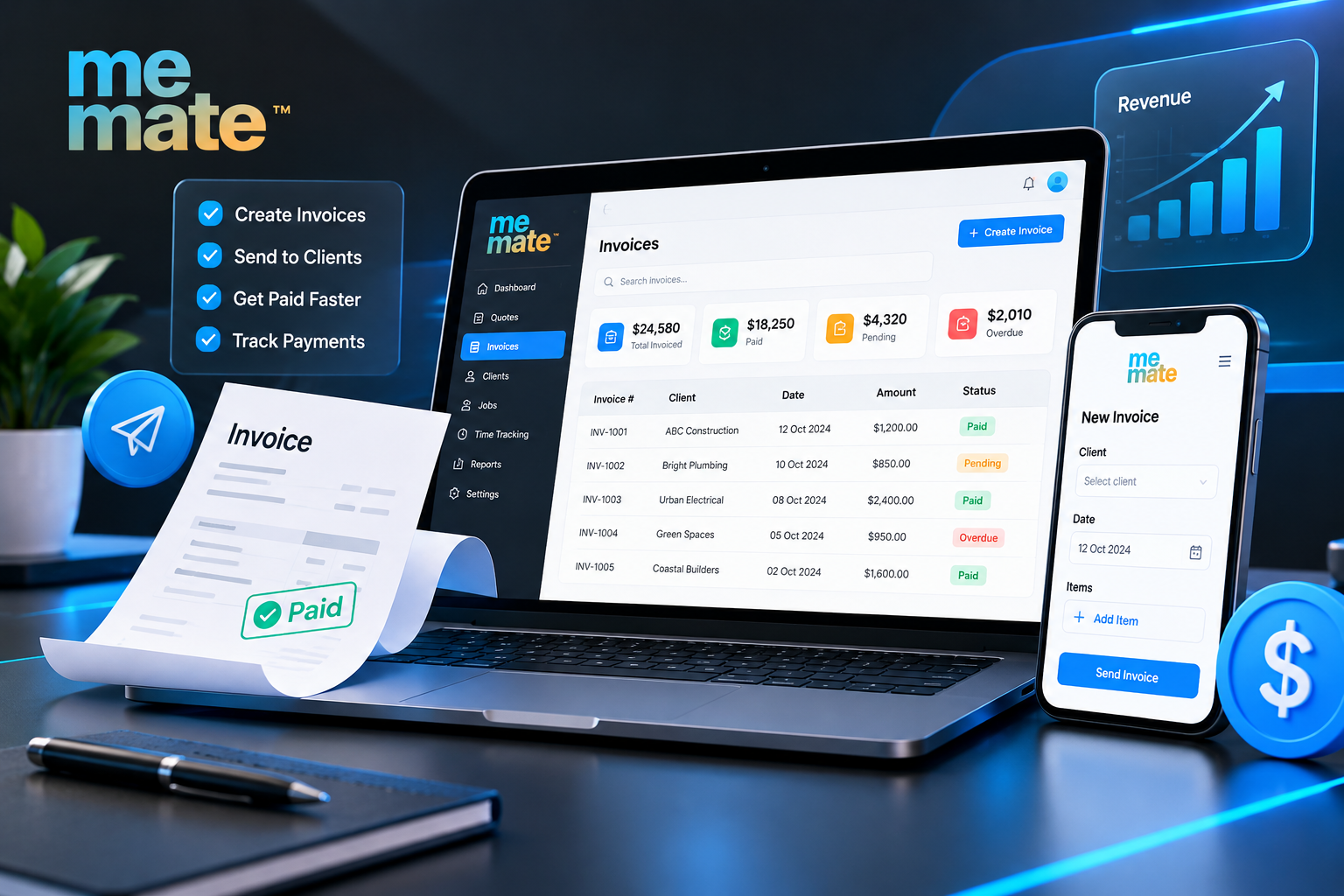
Running a business involves more than delivering products or completing jobs. Business owners must also prepare invoices, track payments, follow up on overdue accounts, and maintain accurate financial records. Managing these tasks manually can become time-consuming as the number of customers and transactions grows.
Invoicing software helps businesses create and send invoices, monitor payment status, and organise billing information in one place. For freelancers, contractors and small business owners, the right solution can make payment administration more consistent and provide better visibility into money owed.
This guide explains how invoicing software works, its key features, practical benefits, potential limitations and what Australian businesses should consider when choosing a solution.
What Is Invoicing Software?
Invoicing software is a digital tool that allows businesses to prepare, issue and manage invoices for products or services. Depending on the platform, it may also support quotations, payment tracking, automated reminders, expense management and accounting integrations.
Instead of creating individual invoices in a word processor or spreadsheet, users can save customer details, reuse service descriptions, calculate totals, and generate invoices using a consistent format.
For example, a freelance web designer could prepare an invoice for a website project, include the agreed fee and payment terms, and send it directly to the client. The software can then help track whether the invoice is outstanding, overdue, or paid.
Some solutions focus exclusively on billing, while broader business management platforms combine invoicing with quoting, customer relationship management, and job administration.
How Does Invoicing Software Work?
Although individual platforms differ, a typical invoicing workflow follows five steps.
1. Set up business and customer details
The business enters relevant information, such as its legal or trading name, ABN where applicable, contact details, and payment terms. Customer information can also be saved to reduce repeated data entry.
2. Create an invoice
The user selects a customer, adds the products or services supplied, enters quantities and prices, and applies the appropriate tax treatment. The software calculates totals based on the information entered.
3. Send the invoice
The completed invoice can usually be emailed or shared electronically. Some platforms provide invoice templates and sequential invoice numbering to help maintain consistent records.
4. Track payments
The business checks which invoices are unpaid, partially paid, overdue or settled. Where supported, payment integrations can simplify the process of accepting payments and matching transactions.
5. Follow up and reconcile records
Automated reminders may prompt customers about approaching due dates or overdue balances. Depending on the software, invoice information can also be transferred to accounting tools to support reconciliation and financial reporting.
Practical example: A plumbing contractor completes three jobs in one week. Rather than searching through messages and handwritten notes at the end of the month, the contractor can create invoices against the relevant customers and jobs, send them promptly and review outstanding balances from a central dashboard.
Key Features to Look for in Invoicing Software
Not every business needs every feature. The most useful functions depend on transaction volume, billing complexity, and existing workflows.
Invoice creation and customisation
Look for reusable templates, editable payment terms, clear line-item descriptions, automatic calculations, and support for relevant tax details. Professional, easy-to-understand invoices help customers identify what they are paying for and when payment is due.
Payment tracking and reminders
A clear outstanding-invoice list makes it easier to identify delayed payments. Configurable reminders can reduce manual follow-up, although they cannot guarantee that customers will pay on time.
Quoting and invoicing
For service businesses, quoting and invoicing software can connect the initial estimate with the final bill. A contractor might prepare a quote for materials and labour, obtain customer approval, complete the work, and generate an invoice based on the agreed scope.
This connection can reduce duplicate entry and help businesses compare the quoted price with the amount ultimately charged. Users should still check any changes to scope, pricing, or additional work before issuing the final invoice.
Reporting and accounting integration
Basic reports can show outstanding balances, payment history and invoicing activity. Accounting integrations may help transfer transaction data, but businesses should check compatibility, synchronisation rules and whether reconciliation requires manual review.
Expense and customer management
Depending on the platform, storing customer information and recording business expenses alongside billing records can make administration easier. These functions are particularly useful when a business wants to understand the financial position of individual jobs or customers.
What Are the Benefits of Invoicing Software?
The main benefit is a more organised billing process. Its practical value, however, depends on how consistently the business uses it.
-
Less repetitive administration: Saved customer details and templates reduce the need to recreate invoices from scratch.
-
Better payment visibility: A central record makes outstanding and overdue invoices easier to identify.
-
More consistent documentation: Standardised invoice formats can reduce omissions and inconsistent presentation.
-
Improved cash flow management: Faster invoice preparation and timely follow-ups may help businesses collect money sooner, although actual payment timing remains outside their control.
-
Easier collaboration: Shared records can help business owners, administrators and bookkeepers work from the same information.
-
More useful financial records: Organised invoices make it easier to review billing history and investigate discrepancies.
For a sole trader who sends only a handful of invoices each month, a simple tool may be sufficient. A growing service business managing multiple jobs, staff members and payment schedules may benefit more from connected billing and job management features.
Invoicing Software Australia: What Businesses Should Know
Australian businesses need to consider tax obligations as well as convenience when selecting invoicing tools. The software should support accurate invoices and organised records, but using software does not automatically make every invoice compliant.
GST and tax invoices
Businesses registered for GST must follow the applicable GST invoicing rules. The Australian Taxation Office (ATO) explains that a valid tax invoice must contain sufficient information to establish the supplier's identity and ABN, what was supplied, the price, the issue date and the relevant GST information. Additional recipient details are generally required for invoices of $1,000 or more. <Link url="https://www.ato.gov.au/law/view/document?LocID=%22GST%2FGSTR20131%2FNAT%2FATO%2Ffp39%22" title="Read the ATO's guidance on tax invoices"/>.
Businesses should check whether their software supports the information and tax treatment applicable to their transactions. GST should not be added automatically to every invoice: whether it applies depends on the business's GST registration and the nature of the supply.
ABN details and record-keeping
An ABN is an important business identifier, but having one does not automatically mean a business is registered for GST. Businesses should confirm their registration status and ensure invoices reflect their actual circumstances.
Digital invoices can help organise business records, but businesses remain responsible for retaining the required documents and ensuring their information is accurate. Refer to the ATO for guidance relevant to your circumstances and seek advice from a registered tax professional when necessary.
Limitations to Consider Before Choosing Software
Invoicing software can simplify administration, but it is not a complete replacement for financial oversight.
-
Subscription costs: Paid plans, transaction fees, and additional users may increase the total cost.
-
Incorrect data: Wrong prices, customer details, or GST settings can still produce inaccurate invoices.
-
Integration limitations: Some tools do not connect easily with existing accounting or payment systems.
-
Learning and setup time: Staff may need training, and existing customer or invoice records may require careful migration.
-
Dependence on the platform: Internet access, service interruptions, and vendor changes can affect workflows. Check export options and backup arrangements.
Before committing, test the process from quotation through payment, review the available reports, and confirm that you can access your records if you change providers.
How to Choose the Right Invoicing Software
Start by mapping your current billing process and identifying the tasks that consume the most time.
-
Assess your volume: Consider how many invoices you issue and how frequently customers pay in instalments.
-
Match features to your workflow: Freelancers may need straightforward invoicing, while contractors may benefit from linking quotes, jobs and invoices.
-
Check Australian requirements: Confirm support for ABN details, appropriate GST calculations and relevant tax invoice formats.
-
Review integrations: Make sure the software works with your accounting tools, payment methods and existing business systems.
-
Compare total costs: Review subscription limits, user allowances, transaction charges and optional features.
-
Test usability and support: Try creating an invoice, recording a payment, sending a reminder, and exporting records before making a decision.
A useful selection criterion is whether the software reduces work without making the process unnecessarily complicated.
For businesses looking for a connected approach, meMate is one option to explore. Its business management platform is relevant to businesses assessing workflows that bring invoicing together with other operational activities. Review its current features, integrations and pricing to determine whether they meet your requirements rather than assuming every capability is included in every plan.
Frequently Asked Questions
1. Is invoicing software suitable for a small business?
Yes. It can help sole traders, freelancers and small businesses prepare invoices, monitor outstanding payments and maintain organised records. The best choice depends on how many invoices you issue and whether you need additional features.
2. Is free invoicing software enough?
Free software may be suitable for businesses with straightforward billing requirements. Check whether it includes the features you need, such as custom templates, payment tracking, data exports, and accounting integrations, before relying on it.
3. Can invoicing software calculate GST automatically?
Some platforms can calculate GST based on configured rates and transaction details. However, businesses must verify their GST registration, applicable tax treatment, and invoice information. Automated calculations do not guarantee compliance.
4. What is the difference between invoicing software and accounting software?
Invoicing software primarily manages billing and payment records. Accounting software generally covers a broader range of financial activities, such as transaction reconciliation, financial reporting, and expense management. Some platforms offer both sets of functions.
5. When should a business upgrade its invoicing system?
Consider upgrading when manual billing becomes difficult to manage, overdue invoices are frequently missed, duplicate data entry increases, or you need better connections between quotes, jobs, payments, and accounting records.
Conclusion
Invoicing software can help businesses spend less time on repetitive billing tasks, maintain clearer payment records and improve visibility into outstanding income. Its value comes from matching the software to the way a business actually operates, rather than simply choosing the platform with the longest feature list.
Before deciding, compare the essential functions, Australian tax requirements, integration options, ongoing costs and ease of use. For businesses seeking to connect invoicing with wider operational workflows, exploring platforms such as meMate may be a useful next step.
Choose a solution that makes billing easier today while giving your business room to grow, and review your invoicing process regularly to ensure it remains accurate, efficient and suitable for your needs.

 English
 Arabic
 French
 Spanish
 Portuguese
 Deutsch
 Turkish
 Dutch
Dutch
 Italiano
 Russian
 Portuguese (Brazil)
 Greek
Greek