
IPTV HD Encoder — From Video Signals to Seamless IP Transmission
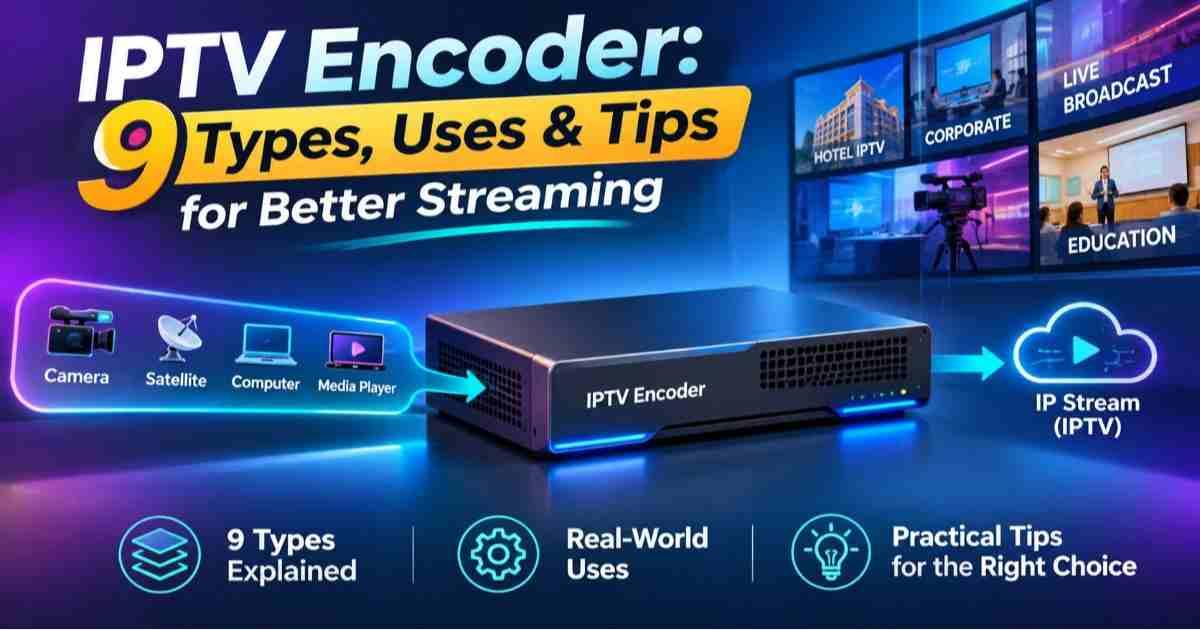
A television picture does not become an internet-ready stream simply because a cable connects to a network. Before viewers can watch a live channel through an IPTV application or compatible receiver, the original video signal must pass through a process that makes it suitable for digital distribution. This is where an IPTV HD encoder becomes important.
Whether you are purchasing broadcasting equipment, building a private streaming network, testing a compatible IPTV player, or investigating playback problems, understanding the encoder's role can save considerable time and expense.
An encoder converts incoming audio and video into a compressed digital format and prepares the resulting content for transmission. However, choosing the right equipment requires more than looking at an advertised resolution. Input connections, compression support, output protocols, network conditions, and receiver compatibility all influence the final result.
💡1️⃣ Get the best Choice
Understanding the Technology Behind an IPTV HD Encoder
An IPTV HD encoder is a hardware or software-based solution that transforms an incoming audiovisual signal into a digital stream suitable for IP networks.
Its input may come from a professional camera, satellite receiver, television source, media player, or another compatible device. Depending on the equipment, connections can include HDMI, SDI, and other supported interfaces.
The encoder processes the incoming material, applies a selected compression format, and generates an output that another system can receive and distribute.
One important distinction is worth remembering: an encoder does not automatically provide television channels, subscription access, playlists, or an IPTV application. Those belong to other parts of the streaming environment.
Following the Signal from Source to Screen
Think of an IPTV installation as a delivery chain. Each component has a separate responsibility, and a problem at any stage can affect playback.
Capturing the Original Video
The process begins with a video source. A camera might supply a live production feed, while a satellite receiver could provide a television signal for redistribution.
The encoder must support the source's connection type and signal characteristics. Check resolution, frame rate, colour format, and audio configuration before purchasing equipment.
A connection that physically fits does not necessarily guarantee that the encoder can process every signal produced by the source.
Preparing and Compressing the Content
Uncompressed video can require substantial data capacity. Compression reduces the amount of information that must travel through the network.
H.264 remains a widely encountered encoding format because of its established device compatibility. H.265, also known as HEVC, offers improved compression efficiency in suitable implementations, although it requires compatible decoding equipment.
The correct choice depends on the complete delivery environment rather than the newest specification advertised on a product box.
Creating a Network-Compatible Output
After encoding, the content must be packaged and delivered using a supported method.
Depending on the application, an encoder may offer MPEG transport stream output, UDP, RTP, or other streaming options. HLS can also form part of the delivery workflow, although producing a complete HLS service may require additional segmentation, server, and playlist-generation functions.
This distinction matters when comparing standalone encoders with integrated streaming appliances.
Specifications That Deserve Attention Before Buying
A product description can look impressive while overlooking the details that determine whether the equipment will work with your existing system.
Consider the following purchasing criteria:
-
Input configuration: Confirm the number and type of available HDMI, SDI, or other required connections.
-
Maximum processing capability: Check supported resolutions, frame rates, and simultaneous input capacity.
-
Compression options: Identify supported H.264 and H.265 profiles, levels, and encoding controls.
-
Output flexibility: Determine whether the device supports the protocols and stream formats required by your network.
-
Audio handling: Check supported audio formats, embedded audio, external inputs, and synchronization controls.
-
Network interfaces: Review Ethernet speed, multicast support, and other relevant networking capabilities.
-
Management tools: Look for configuration interfaces, monitoring functions, firmware maintenance, and access controls.
A single-channel encoder may be perfectly suitable for a small installation but unsuitable for an operator managing several independent television sources.
Where IPTV HD Encoding Fits into Different Streaming Setups
Not every viewer needs an encoder. Its usefulness depends on the role someone plays in the streaming environment.
For IPTV equipment buyers: Focus on source compatibility, supported output formats, reliability, and integration with existing receivers. Avoid paying extra for features that your installation cannot use.
For streaming application users: An encoder is generally part of the provider's content-production infrastructure, not something required to install or operate an ordinary playback application.
For free playlist testers: A playlist contains references to available media streams. An encoder does not create a legitimate channel subscription or guarantee that a listed stream will work. Playback depends on stream availability, access permissions, application support, and network conditions.
For broadcasting operators: Consider the number of channels, encoding capacity, monitoring facilities, redundancy, and the equipment needed to distribute streams to viewers.
For troubleshooting users: Identify whether the problem begins at the original source, encoder output, network, streaming server, or receiving application before replacing equipment.
H.264 or H.265: Which Encoding Method Makes Sense?
Choosing a compression format involves balancing bandwidth, picture quality, processing capacity, and playback compatibility.
H.264 can be a practical choice when supporting a broad mixture of older and newer receiving devices is important.
H.265 may be more attractive when reducing transmission requirements is a priority and the intended playback devices support HEVC decoding.
Neither option guarantees uninterrupted viewing. Poor network conditions, unsuitable encoding settings, incompatible containers, or insufficient receiver performance can still cause problems.
Before committing to a format, test an actual stream using the intended television, set-top box, or application.
Why a Technically Correct Stream Can Still Fail
A successful encoding process does not automatically produce successful playback. Several separate issues can interrupt the journey between source and screen.
-
Black screen: Check the input signal, selected source, video format, and receiver compatibility.
-
Frequent buffering: Investigate available bandwidth, packet loss, network congestion, and server delivery.
-
Picture without sound: Examine audio input selection, encoding settings, and supported audio formats.
-
Audio delay: Review synchronization settings and processing delays throughout the signal chain.
-
Stream unavailable: Verify the output destination, network routing, firewall configuration, and receiving endpoint.
-
Unexpected quality changes: Examine bitrate settings, source quality, and any adaptive streaming configuration.
Changing several settings simultaneously makes troubleshooting harder. Adjust one variable at a time and record the result.
A Practical Way to Test an Encoder Before Deployment
A short demonstration is not enough to establish whether equipment will perform reliably in everyday operation.
Use a controlled evaluation process:
-
Connect the intended video source and confirm that the encoder recognises its signal.
-
Select a resolution and frame rate supported by the source and receiving equipment.
-
Configure the compression method and a suitable bitrate.
-
Generate an output using the required streaming protocol.
-
Receive the stream through the actual target player or set-top box.
-
Observe picture quality, audio synchronization, latency, and network stability.
-
Run an extended test to identify overheating, unexpected interruptions, or performance degradation.
If multiple channels are involved, repeat the evaluation under realistic simultaneous operating conditions.
What International Buyers Should Verify
When purchasing equipment across different countries, compatibility extends beyond the video connection.
Check local electrical requirements, power supply specifications, operating temperature, supported broadcast signal formats, applicable regulatory approvals, and warranty coverage.
Also investigate whether technical support and replacement parts are available in your region. A device with attractive specifications can become an expensive choice if maintenance is difficult.
For commercial installations, confirm that the intended content distribution is properly authorised and that the equipment meets applicable local requirements.
Frequently Asked Questions
What does an IPTV HD encoder actually do?
It receives an audiovisual signal, compresses the content into a supported digital format, and produces a stream suitable for distribution over an IP network.
Is an IPTV HD encoder required for watching IPTV?
No. Ordinary viewers generally need a compatible application or receiving device and an authorised streaming service. Encoders are primarily used to prepare content for distribution.
Can an HDMI encoder send television content over a network?
Yes, provided the encoder supports the incoming HDMI signal and an appropriate network output. Additional streaming infrastructure may be required for distribution to multiple viewers.
Does H.265 always provide better streaming quality?
No. H.265 can deliver improved compression efficiency, but actual results depend on encoding settings, source quality, available bandwidth, and decoder compatibility.
Can an encoder generate an M3U playlist?
Not necessarily. An encoder generates or outputs encoded media streams. An M3U playlist is a separate file or resource that contains media references and is normally managed by a playlist or streaming platform.
Why does an encoded IPTV stream keep buffering?
Possible causes include insufficient bandwidth, packet loss, network congestion, server limitations, unsuitable bitrate settings, or receiver performance problems.
Is hardware encoding better than software encoding?
Hardware encoding can provide dedicated processing and predictable performance for suitable workloads. Software encoding offers flexibility and may provide more control, depending on the available computing resources. The best option depends on channel count, quality requirements, budget, and operating environment.
Conclusion
An IPTV HD encoder is an important part of the infrastructure that transforms traditional audiovisual sources into network-distributable content. Its real value comes from how well it connects the original signal, compression settings, transmission method, and receiving equipment.
For buyers, the smartest decision is not necessarily the device with the highest advertised resolution or longest feature list. It is the one that supports the required inputs, produces compatible streams, operates reliably under realistic conditions, and fits the wider network architecture.
Choose Equipment Based on Your Actual Streaming Requirements
Before purchasing an IPTV HD encoder, define your video sources, expected channel capacity, target playback devices, network conditions, and distribution requirements. Compare those needs against the manufacturer's documented specifications and test the complete signal path whenever possible.
A well-matched encoding setup provides a more dependable foundation for professional video distribution without unnecessary equipment costs.

 English
 Arabic
 French
 Spanish
 Portuguese
 Deutsch
 Turkish
 Dutch
 Italiano
 Romaian
 Portuguese (Brazil)
 Greek