
How to Choose the Right IT Support Company for Your Business
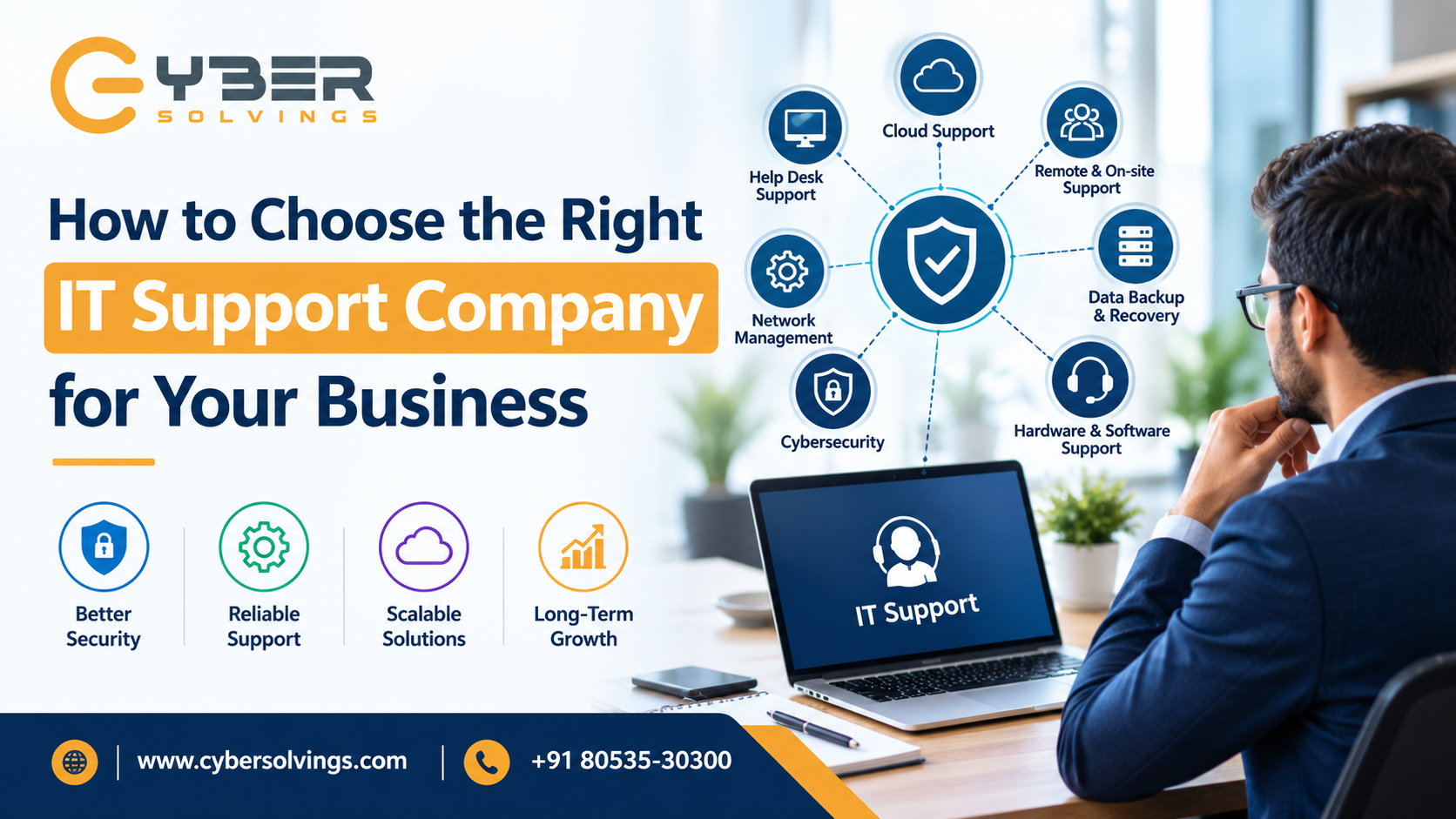
In today’s digital business environment, technology is at the heart of almost every organization. From communication and cloud applications to cybersecurity, data management, and customer service, businesses depend on reliable IT systems every day. However, managing technology internally can become challenging, especially as a company grows.
When computers stop working, networks become unstable, software fails, or cybersecurity threats emerge, even a small IT issue can interrupt business operations. This is why choosing the right IT support company is an important business decision.
A professional IT support provider can help maintain your systems, protect your data, resolve technical problems, reduce downtime, and support long-term business growth. However, with many IT support companies available, selecting the right provider can be difficult.
This guide explains how to choose the right IT support company for your business, what services to look for, what questions to ask, and which factors should influence your final decision.
Why Is IT Support Important for Businesses?
Modern businesses rely heavily on technology. Employees need computers, internet connectivity, business applications, cloud platforms, communication tools, and secure access to company data.
When these systems experience problems, productivity can quickly decline. Employees may be unable to access important files, communicate with customers, process orders, or complete daily tasks.
Professional IT support helps businesses:
-
Resolve technical problems quickly
-
Reduce business downtime
-
Protect systems from cybersecurity threats
-
Maintain computers, servers, and networks
-
Manage software and hardware
-
Support cloud-based systems
-
Improve IT performance
-
Back up and protect important business data
-
Plan future technology investments
Instead of waiting for problems to occur, a good IT support company can take a proactive approach by monitoring systems, identifying potential issues, and maintaining IT infrastructure.
According to guidance from the Cybersecurity and Infrastructure Security Agency (CISA), organizations should consider factors such as cybersecurity maturity, service availability, business continuity, subcontractor management, and financial viability when evaluating external IT service providers.
1. Understand Your Business IT Requirements
Before contacting an IT support company, understand what your business actually needs.
Every organization has different IT requirements. A small office with ten employees may need basic computer support, network management, backups, and cybersecurity. A larger company may require server management, cloud infrastructure, advanced security, remote monitoring, and 24/7 support.
Start by identifying your current IT environment.
Consider:
-
How many employees use technology?
-
How many computers and devices do you have?
-
Do you use physical servers or cloud services?
-
What business software do you depend on?
-
How important is internet connectivity to your operations?
-
Do employees work remotely?
-
What cybersecurity protections are currently available?
-
How frequently do IT problems occur?
-
How quickly do you need technical support?
-
Do you have a backup and disaster recovery plan?
Creating this list will make it easier to compare IT support companies based on your actual requirements rather than simply choosing the cheapest provider.
2. Look for a Wide Range of IT Support Services
A good IT support company should offer services that cover both your current and future technology needs.
Depending on your organization, useful services may include:
Help Desk Support
Employees should have a reliable way to report technical problems and receive assistance.
Help desk support can handle issues such as software errors, password problems, computer problems, connectivity issues, printer problems, and application troubleshooting.
Network Management
A stable network is essential for business communication and productivity. IT professionals can monitor network performance, troubleshoot connectivity problems, configure devices, and improve network reliability.
Cybersecurity
Cybersecurity should be an important part of your IT support strategy. Businesses face risks such as phishing, malware, ransomware, unauthorized access, and data theft.
Your IT provider should help implement appropriate security measures, including endpoint protection, access controls, security monitoring, patch management, and employee security awareness.
Data Backup and Recovery
Data loss can seriously affect business operations. A reliable IT support provider should help establish regular backups and a recovery strategy.
Your provider should also explain how backups are protected and how quickly important systems can be restored following an incident.
Cloud Support
Many businesses now depend on cloud applications and infrastructure. Your IT provider should be able to support cloud platforms, user access, security, data management, and cloud-related troubleshooting.
Hardware and Software Support
IT support may also include hardware installation, device configuration, software installation, upgrades, and troubleshooting.
Choosing a provider with broad capabilities can reduce the need to work with multiple technology vendors.
3. Check the Company's Experience
Experience matters when choosing an IT support provider.
Look at how long the company has been operating and whether it has experience supporting businesses similar to yours.
A provider experienced in your industry may already understand common challenges, compliance requirements, software platforms, and operational needs.
Ask potential providers:
-
How long have you been providing IT services?
-
Do you work with businesses similar to ours?
-
What types of technology do you specialize in?
-
Can you provide relevant client references?
-
How do you handle complex IT problems?
Do not focus only on the number of years a company has been operating. Look at the relevance and quality of its experience.
4. Evaluate Response Time and Availability
When an important IT system stops working, waiting several days for assistance may not be acceptable.
Ask about the provider's support hours and response times.
Important questions include:
-
Is support available during business hours?
-
Is emergency support available?
-
Do you provide remote support?
-
Is on-site support available when required?
-
What is the expected response time for critical issues?
-
How are urgent problems escalated?
A reliable IT support company should clearly explain its support process before you sign a contract.
Make sure the Service Level Agreement (SLA) defines response expectations and responsibilities.
5. Review the Company's Cybersecurity Approach
Cybersecurity should not be treated as an optional extra.
When an external IT provider manages your systems, that provider may have access to important business infrastructure and data. This makes vendor security an important consideration.
CISA notes that outsourcing IT services can introduce additional third-party risks, meaning businesses should actively manage cybersecurity risks when working with managed service providers.
Ask potential IT providers:
-
How do you protect customer systems?
-
Do you use multi-factor authentication?
-
How do you manage administrator access?
-
How frequently are systems patched?
-
Do you monitor security events?
-
How do you respond to security incidents?
-
How are customer credentials protected?
-
How are backups secured?
A trustworthy provider should be comfortable explaining its security practices.
6. Check for Proactive IT Monitoring
Traditional IT support often focuses on fixing problems after they occur. Modern IT support can take a more proactive approach.
Proactive IT monitoring allows providers to identify unusual activity, system performance problems, hardware issues, storage limitations, and other potential problems before they cause major disruption.
For example, if a server's storage capacity is reaching its limit, proactive monitoring can identify the issue before the system becomes unavailable.
This approach can help businesses reduce downtime and improve overall IT reliability.
7. Understand the Pricing Structure
Price is an important factor, but it should not be the only factor.
A low-cost provider may not offer the level of support, security, or availability your business requires.
IT support pricing may depend on:
-
Number of users
-
Number of devices
-
Required support hours
-
Services included
-
Cybersecurity requirements
-
Cloud infrastructure
-
On-site support
-
Backup and disaster recovery
-
Contract duration
Ask for a detailed pricing proposal and make sure you understand what is included.
Also ask about additional charges for services that are outside the standard package.
The goal should be to find the best value, not simply the lowest price.
8. Read the Service Level Agreement Carefully
Before signing an IT support contract, carefully review the Service Level Agreement.
An SLA should explain important details such as:
-
Services provided
-
Support availability
-
Response times
-
Escalation procedures
-
Responsibilities of the provider
-
Responsibilities of the customer
-
Pricing
-
Contract duration
-
Cancellation terms
-
Data protection responsibilities
-
Backup responsibilities
Do not hesitate to ask questions about anything that is unclear.
A professional IT support company should provide transparent documentation rather than relying on verbal promises.
9. Ask About Scalability
Your business may look very different in two or five years.
You may hire more employees, open new locations, introduce cloud applications, expand remote work, or require stronger cybersecurity.
Your IT support provider should be able to grow with you.
Ask:
-
Can your services support business growth?
-
Can you add users easily?
-
Can you support multiple locations?
-
Can you help with technology planning?
-
Can you support cloud migration?
-
Can your cybersecurity services scale as we grow?
Choosing a scalable IT provider can prevent the need to replace your support company every time your business expands.
10. Evaluate Communication and Customer Service
Technical knowledge is important, but communication is equally valuable.
IT professionals should be able to explain technical issues in a way that business owners and employees can understand.
Pay attention to how a provider communicates during the sales process.
Do they answer questions clearly?
Do they listen to your business requirements?
Do they explain technical concepts without unnecessary jargon?
Do they provide regular updates?
Good communication can make a significant difference when dealing with urgent technical problems.
11. Ask for References and Reviews
Before choosing an IT support company, research its reputation.
Look for customer reviews, testimonials, case studies, and references.
If possible, speak with existing or previous customers.
Ask them:
-
Is the provider responsive?
-
Are problems resolved quickly?
-
Is the company easy to communicate with?
-
Are invoices transparent?
-
Does the provider proactively identify issues?
-
Are there unexpected costs?
Real customer experiences can provide useful insights that may not be visible during the sales process.
12. Consider Remote and On-Site Support
Remote IT support can solve many common problems quickly. Technicians can securely access systems, troubleshoot software, configure devices, and resolve many issues without visiting your office.
However, some situations require physical assistance.
For example, hardware failures, network equipment problems, cabling issues, and device installations may require on-site support.
Therefore, ask whether the provider offers both remote and on-site support and understand when each type of support is available.
13. Look for Long-Term IT Guidance
A great IT support company should do more than fix computers.
Technology should support your business goals.
A strong IT provider can help you plan upgrades, improve cybersecurity, migrate to cloud services, replace outdated systems, improve productivity, and prepare for future technology requirements.
Instead of asking only, "Can you fix this problem?" consider asking:
"Can you help us build a reliable technology environment for long-term growth?"
This mindset can help you find a technology partner rather than simply a technical repair service.
Common Mistakes to Avoid When Choosing IT Support
Businesses sometimes make the wrong choice because they focus on one factor instead of evaluating the complete service.
Avoid these common mistakes:
Choosing Only Based on Price
The cheapest option may not provide sufficient security, availability, or expertise.
Ignoring Cybersecurity
IT support without appropriate security measures can leave your business exposed.
Not Reading the Contract
Always understand the SLA, pricing, responsibilities, and cancellation conditions.
Failing to Check References
Reviews and customer references can reveal important information about service quality.
Choosing a Provider That Cannot Scale
Your IT provider should be capable of supporting future business growth.
Expecting Only Reactive Support
A provider that proactively monitors and maintains systems can help prevent problems instead of simply responding to them.
Why Cybersolvings Can Be a Valuable IT Support Partner
Choosing the right IT support company is ultimately about finding a provider that understands your business, technology requirements, security needs, and future goals.
Cybersolvings focuses on helping businesses manage their technology with practical and reliable IT solutions. From everyday technical support to broader IT management and cybersecurity considerations, having the right technology partner can help organizations improve productivity, reduce disruptions, and operate more confidently.
Businesses looking for IT support should evaluate their needs carefully and compare providers based on expertise, responsiveness, security, scalability, communication, and overall value.
You can learn more about IT solutions and services from Cybersolvings at www.cybersolvings.com.
Final Thoughts
Choosing the right IT support company is an important decision for any modern business. Technology problems can affect productivity, customer service, revenue, and business reputation, so reliable IT support should be viewed as an investment rather than simply an expense.
Start by identifying your IT requirements. Then evaluate potential providers based on their experience, services, cybersecurity practices, response times, pricing, scalability, customer service, and contract terms.
Most importantly, choose a company that takes a proactive approach to technology and is willing to understand your business goals.
The right IT support partner can help keep your systems secure, reliable, and productive while giving your team more time to focus on what matters most: growing the business.
For businesses seeking dependable technology guidance and IT support solutions, Cybersolvings can be a partner to consider when building a stronger and more reliable IT environment.

 English
 French
 Spanish
 Portuguese
 Deutsch
 Turkish
 Dutch
Dutch
 Italiano
 Russian
 Romaian
 Portuguese (Brazil)
 Greek
Greek