
Building an AI-Powered Golf App: Features, Technologies, and Development Process
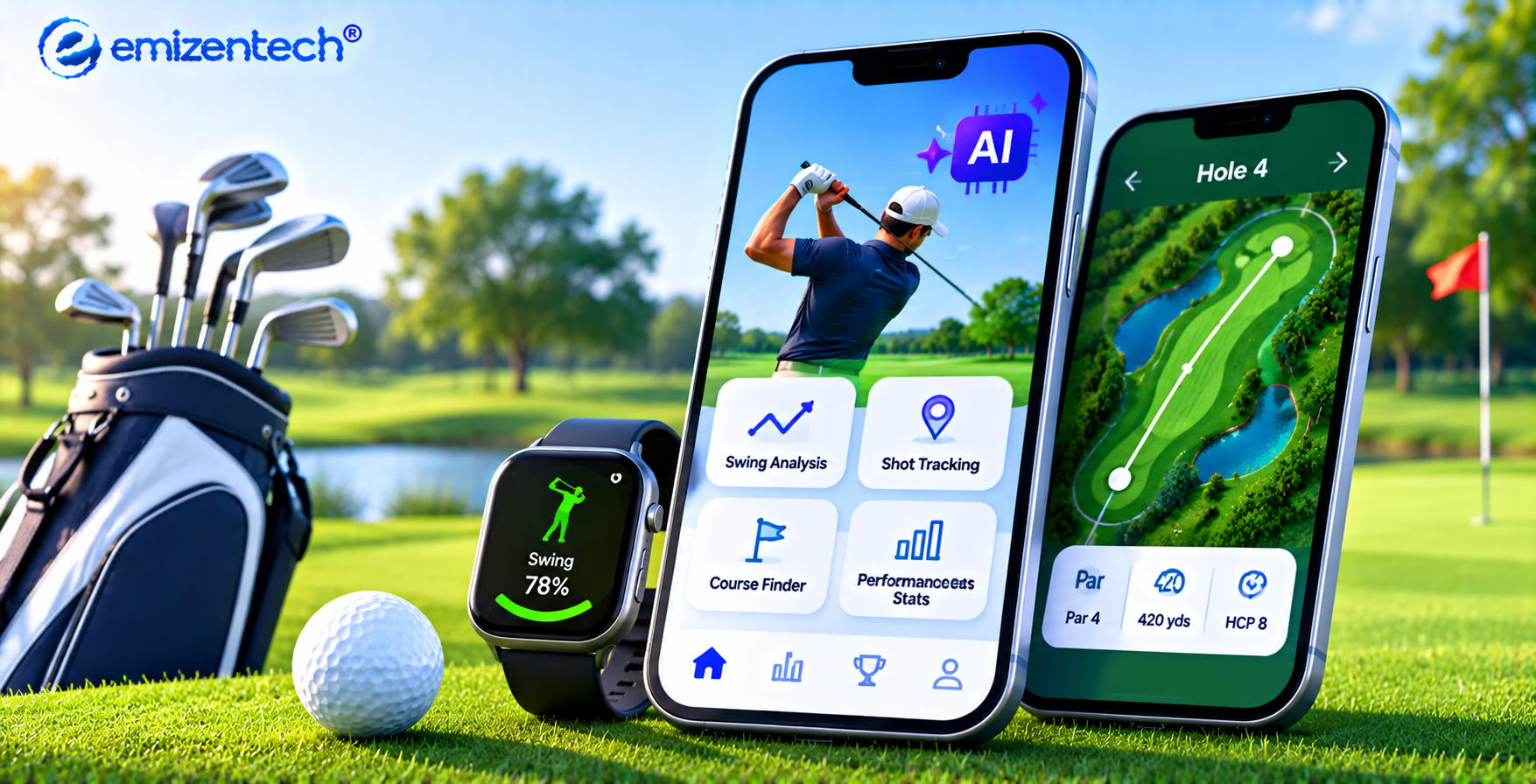
Golf rewards data, patience, and precision, and AI now puts all three on a player’s phone. Swing analysis and course strategy are turning casual rounds into measurable improvement. Whether you are planning a coaching tool, a scoring platform, or a club-management product, professional golf app development services can turn the idea into a polished, scalable release.
Why AI Fits Golf So Well
Golf produces a steady stream of measurable moments: every swing, putt, lie, and yardage. That makes it a natural match for machine learning, which thrives on repeated patterns. This section covers where AI adds real value for players.
Swing mechanics are consistent enough for computer vision to track body angles frame by frame. Course data such as elevation, wind, and hazards feeds recommendation models. Over time, the app learns a player’s habits, like a miss to the right with long irons, and adjusts its advice. That personalization keeps users opening the app after the novelty fades.
Features Worth Building
A strong golf app balances useful on-course tools with engaging off-course experiences. This section lists the features that matter most, starting with the ones players use every round.
-
AI swing analysis: Record a swing and receive feedback on tempo, plane, and posture.
-
GPS rangefinder: Live distances to the front, middle, and back of the green, plus hazards.
-
Smart club suggestions: Recommendations based on distance history, wind, and slope.
-
Automatic scoring: Shot tracking that builds stats like fairways hit and putts per round.
-
Voice caddie: Hands-free tips and yardages through a conversational assistant.
-
Wearable sync: Heart rate and motion data from watches and swing sensors.
-
Community tools: Leaderboards, friend challenges, and tee-time booking.
Technologies Behind the App
Technology choices affect speed, accuracy, and long-term maintenance. This section outlines a practical stack, with each layer matched to a clear job inside the product.
Mobile Framework
Flutter or React Native delivers one codebase for iOS and Android, while Swift and Kotlin suit projects that need deep camera and sensor control.
AI and Machine Learning
TensorFlow Lite, PyTorch, OpenCV, and MediaPipe handle pose detection and shot prediction. On-device models keep swing feedback fast even on courses with weak signal.
Backend and APIs
Node.js or Python with FastAPI manages user logic, model serving, and data syncing. Heavier video analysis can run in the cloud and sync later.
Database
PostgreSQL, MongoDB, or Firebase stores profiles, rounds, and stats.
Maps and GPS
Google Maps SDK or Mapbox powers course mapping and accurate distances.
Cloud Infrastructure
AWS or Google Cloud provides storage, scaling, and video processing power.
The Development Process, Step by Step
A clear process keeps scope under control and avoids costly rework. Working with experienced golf app development services makes each stage smoother.
Discovery and research
Define the audience, whether amateurs, coaches, or clubs. Study competing apps, note their gaps, and set measurable goals such as retention rate, swing-analysis accuracy, and monthly active rounds.
Feature scoping
Separate the MVP from later releases so the launch stays focused. Rank each feature by player value and technical effort, then lock a roadmap that leaves room for post-launch updates.
UI/UX design
Build outdoor-friendly screens with large buttons, high contrast, and one-hand use. Test wireframes with real golfers, since sunlight, gloves, and a moving cart change how people tap.
Data and model training
Collect swing footage and course data, label key body positions, then train and validate the AI models. Diverse clips across handedness, body types, and camera angles improve accuracy.
Development and integration
Connect the app, backend, GPS, and wearables through stable APIs. Build in sprints so each working module can be reviewed early rather than at the end.
Testing
Check accuracy on real courses, in bright sunlight, and across varied devices. Include battery, offline mode, and weak-signal tests, since those are where golf apps most often fail.
Launch and iteration
Publish to the app stores, gather feedback, and refine models with real usage data. Track crash rates and engagement, then ship improvements in regular release cycles.
Cost, Timeline, and Common Pitfalls
Budget and schedule depend on scope more than anything else. This section gives realistic ranges and flags the problems that most often slow a golf app project.
-
MVP timeline: Three to four months with scoring, GPS, and basic AI feedback.
-
MVP cost: Roughly $30,000 to $60,000.
-
Full product timeline: Six to ten months with advanced swing analysis, wearables, and social features.
-
Full product cost: Well above $80,000, varying with team location and complexity.
-
Battery drain: Constant GPS and camera use frustrates players quickly, so optimize early.
-
Poor model accuracy: This usually traces back to thin training data.
-
Outdated course maps: They break trust, so plan a reliable update pipeline from day one.
Conclusion
A golf app earns its place on a player’s phone by being useful on every hole. Accurate AI feedback, reliable GPS, and a simple interface make that happen, while regular updates keep the experience fresh. Planning around these priorities from the start reduces rework and speeds up launch. Emizentech combines AI expertise with a player-first approach to create golf apps that are fast, accurate, and built to scale.
Frequently Asked Questions
1. How long does it take to build an AI golf app?
An MVP usually takes three to four months. A full-featured app with swing analysis and wearable support can take six to ten months.
2. Which features should an MVP include?
Start with GPS distances, automatic scoring, and basic AI swing feedback. Add social tools and wearables after launch.
3. Can the AI work without an internet connection?
Yes. On-device models like TensorFlow Lite handle swing analysis and club suggestions offline, then sync data when a connection returns.
4. Is Flutter or native development better for golf apps?
Flutter suits most projects thanks to its single codebase and faster delivery. Native development is better if you need deep sensor access or peak camera performance.
5. How can a golf app generate revenue?
Common models include premium subscriptions, in-app coaching plans, tee-time booking fees, sponsored course content, and equipment partnerships.

 English
 Arabic
 French
 Spanish
 Portuguese
 Deutsch
 Turkish
 Dutch
 Italiano
 Romaian
 Portuguese (Brazil)
 Greek