
Kiosk Software Development Services: A Complete Guide to Smart Self-Service Solutions
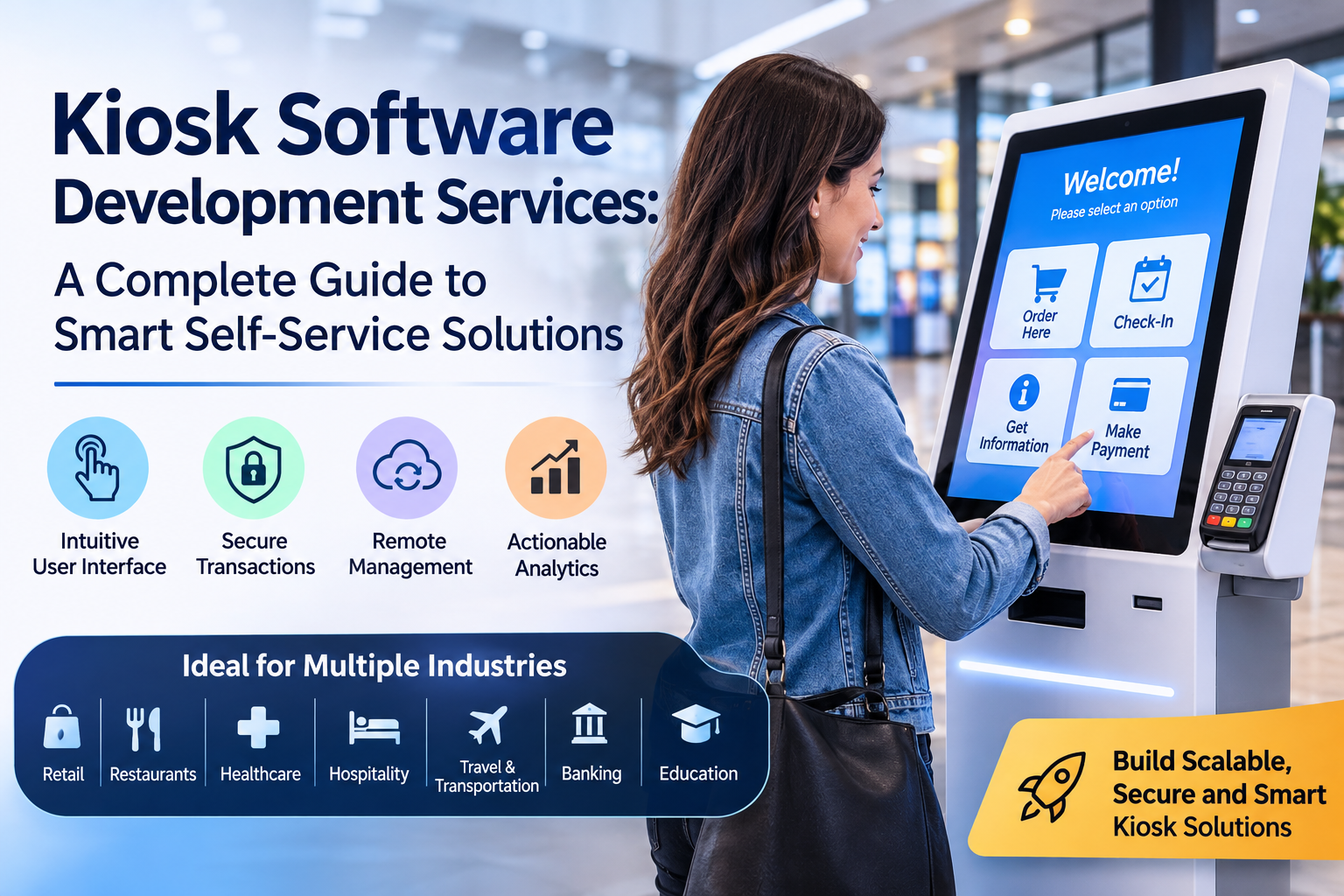
Businesses across industries are adopting digital technologies to improve customer experiences, streamline daily operations, and reduce manual workloads. One of the most practical innovations transforming customer service is the self-service kiosk. From retail stores and restaurants to hospitals, hotels, airports, and corporate offices, kiosks enable customers to access information, complete transactions, and request services quickly and conveniently.
However, an effective kiosk requires more than a touchscreen and a computer. It needs reliable software that connects hardware, business systems, payment platforms, and customer-facing applications. This is where Kiosk Software Development Services become essential for organizations looking to implement efficient, secure, and scalable self-service solutions.
Custom kiosk software allows businesses to design digital experiences around their specific operational needs. Whether the goal is to automate check-ins, simplify payments, display product information, or manage customer queues, the right solution can help organizations deliver faster and more consistent services.
In this guide, we explore kiosk software development, its major features, industry applications, business benefits, and important considerations for choosing the right development partner.
What Are Kiosk Software Development Services?
Kiosk Software Development Services involve designing, building, integrating, testing, and maintaining software applications that operate on self-service terminals and interactive digital kiosks.
These services help businesses create specialized applications that allow customers to complete tasks independently without requiring constant assistance from employees.
Depending on the project, kiosk software may include touchscreen interfaces, payment processing, user authentication, barcode scanning, receipt printing, inventory integration, remote device monitoring, and reporting dashboards.
For example, a restaurant can deploy kiosk software that allows customers to browse menus, customize orders, make payments, and receive order confirmations. Similarly, a healthcare facility can use a kiosk application to register patients, collect relevant information, and manage appointments.
Professional Kiosk Software Development Services focus on creating solutions that are intuitive for customers and manageable for business operators. They also address security, hardware compatibility, system reliability, and future scalability.
Why Are Kiosks Becoming Important for Modern Businesses?
Customer expectations are changing. People increasingly value convenience, shorter waiting times, and access to services without unnecessary delays. Businesses must respond to these expectations while maintaining operational efficiency.
Self-service kiosks offer a practical way to meet these demands.
1. Faster Customer Service
Traditional service counters can become crowded during busy periods. Kiosks allow customers to complete routine tasks independently, helping reduce queues and improve service flow.
For example, customers can place food orders, check appointment details, print tickets, or make payments without waiting for an employee to assist them.
2. Improved Operational Efficiency
Employees often spend considerable time handling repetitive activities. Automating these processes allows staff to focus on customer support, complex requests, and other higher-value responsibilities.
Well-designed Kiosk Software Development Services help businesses identify which tasks are suitable for automation and create workflows that support their daily operations.
3. Consistent Customer Experiences
A standardized kiosk interface can provide the same information, service options, and transaction steps across multiple locations.
This consistency is particularly useful for businesses operating several branches, franchises, healthcare facilities, or transportation terminals.
4. Convenient Access to Information
Interactive kiosks can display product catalogs, maps, directories, service details, promotional content, and frequently requested information.
Customers can access relevant information whenever the kiosk is available, reducing the need to locate an employee for simple questions.
5. Better Business Insights
Connected kiosk applications can collect operational data, such as transaction volumes, frequently selected products, service usage, and peak activity periods.
When collected responsibly and analyzed appropriately, these insights can help businesses improve workflows, adjust staffing, and make more informed decisions.
Essential Features of Custom Kiosk Software
A successful kiosk application should combine usability, functionality, security, and reliability. The exact feature set depends on the business model and the tasks customers need to complete.
1. User-Friendly Touchscreen Interface
The touchscreen interface is the primary point of interaction between customers and the kiosk. Its design should be simple, clear, and easy to navigate.
Large buttons, readable text, clear instructions, and logical screen layouts help customers complete tasks with minimal confusion.
Professional Kiosk Software Development Services prioritize user experience by creating interfaces that accommodate different levels of technical familiarity.
2. Secure Payment Processing
Payment-enabled kiosks require reliable integration with appropriate payment terminals and payment service providers.
Depending on the use case, supported methods may include contactless cards, chip-and-PIN transactions, mobile wallets, and QR-based payments.
Payment workflows should provide clear confirmations, handle failed transactions appropriately, and protect sensitive information. Payment security requirements must be assessed according to the payment technology, provider, and applicable standards.
3. Remote Device Management
Managing kiosks individually becomes difficult when a business operates multiple devices across different locations.
Remote management capabilities allow authorized administrators to monitor device status, distribute software updates, manage content, and troubleshoot supported issues from a centralized dashboard.
These capabilities can reduce unnecessary site visits and help teams respond more quickly to operational problems.
4. Multi-Language Support
Businesses serving international customers or multilingual communities can benefit from applications that support multiple languages.
Customers should be able to select their preferred language and navigate the interface comfortably. Language options should also be considered when designing instructions, payment screens, and confirmation messages.
5. Accessibility Features
Accessibility should be incorporated from the beginning of the development process.
Depending on the environment and applicable requirements, useful features may include high-contrast interfaces, scalable text, screen-reader compatibility, audio guidance, accessible controls, and alternative interaction methods.
Kiosk accessibility must also account for physical placement, reachability, and the needs of people with different abilities.
6. Offline Functionality
Internet connectivity can occasionally become unreliable, especially in remote locations or busy public environments.
Kiosk software can be designed to preserve selected functions during connectivity interruptions, store permitted data securely, and synchronize information when the connection returns.
Offline capabilities depend on the transaction type and connected systems. Payment processing, for example, may have specific restrictions imposed by the payment provider.
7. Analytics and Reporting
Built-in analytics help businesses understand how their kiosk systems perform.
Administrators may review transaction counts, service demand, common user pathways, device availability, and error reports. These insights help identify bottlenecks and opportunities for improvement.
Reporting features should collect only the information needed for legitimate operational purposes and follow appropriate privacy requirements.
8. Session Management and Security
Public-facing devices require additional safeguards because multiple people may use the same terminal throughout the day.
Useful security measures include kiosk lockdown, restricted access to system settings, automatic session resets, role-based permissions, encrypted communications, secure software updates, and appropriate audit logs.
These controls help prevent unauthorized access and protect information between customer sessions.
Industries That Benefit from Kiosk Software Development
Kiosk technology supports a wide range of industries. Custom software allows organizations to adapt self-service experiences to their specific workflows and customer expectations.
Retail and E-Commerce
Retailers use kiosks for product discovery, inventory searches, self-checkout, loyalty program access, order placement, and promotional displays.
A customer can search for an item, check availability, compare product details, and place an order even when the product is unavailable on the physical shelf.
Kiosk applications integrated with inventory and point-of-sale systems can also help maintain consistent product and pricing information.
Restaurants and Food Service
Restaurants frequently use self-service kiosks to simplify ordering during busy periods.
Customers can browse menus, customize meals, select additional items, apply eligible promotions, and pay through supported payment methods.
The software can send orders to kitchen systems, provide order confirmations, and help staff manage incoming requests. An intuitive interface can also encourage customers to explore available menu options at their own pace.
Healthcare and Hospitals
Healthcare providers can use kiosks to streamline administrative processes and improve patient convenience.
Common applications include appointment check-in, patient registration, queue management, wayfinding, and selected payment workflows.
Healthcare kiosk software must be designed with particular attention to confidentiality, authentication, accessibility, and applicable privacy regulations. Sensitive information should not remain visible after a session ends.
Hotels and Hospitality
Hotels can use kiosks to support guest check-in, check-out, reservation verification, service requests, and access to local information.
These systems can integrate with property management platforms to retrieve reservation details and update relevant records.
By automating suitable administrative tasks, hospitality businesses can give employees more time to assist guests with personalized requests.
Transportation and Travel
Airports, bus terminals, railway stations, and other transportation facilities can use kiosks for ticket purchasing, itinerary lookup, check-in, boarding pass printing, and passenger information.
These applications must be reliable, easy to use, and capable of handling high transaction volumes. Integration with the appropriate ticketing and reservation systems is essential for accurate information.
Banking and Financial Services
Financial institutions may deploy kiosks for account information, bill payments, appointment scheduling, queue management, and other approved self-service functions.
Because financial transactions involve sensitive information, development must include strong authentication, secure integrations, access restrictions, and careful transaction handling.
The features available depend on the institution's policies, regulatory obligations, and the capabilities of the connected financial systems.
Education and Corporate Offices
Schools, universities, and office environments can use kiosks for visitor registration, campus navigation, attendance workflows, event information, and employee self-service.
These applications help centralize information and reduce the workload associated with routine administrative requests.
The Benefits of Investing in Custom Kiosk Software
While ready-made kiosk products may meet basic requirements, custom development offers additional flexibility for organizations with specialized workflows or integration needs.
Tailored Business Functionality
Custom software can be designed around existing operational procedures rather than forcing employees to change their processes to accommodate a generic application.
This approach is useful when a kiosk needs to connect with specialized databases, legacy software, or industry-specific systems.
Greater Control Over Branding
Businesses can incorporate their colors, logos, typography, messaging, and visual identity throughout the kiosk experience.
A consistent interface helps customers recognize the brand while interacting with the service.
Integration With Existing Systems
Kiosk software can connect with supported CRM, ERP, POS, inventory, booking, and customer management platforms.
These integrations help reduce duplicate data entry and improve coordination between self-service terminals and back-office operations.
Scalability for Future Growth
A well-planned architecture makes it easier to introduce new features, support additional locations, and accommodate growing transaction volumes.
Businesses can begin with a limited pilot and expand once the solution has been tested under real operating conditions.
Potential Cost and Time Savings
Automating repetitive processes may reduce certain administrative workloads and help employees handle customer requests more efficiently.
The actual financial benefit depends on deployment costs, maintenance requirements, transaction volumes, staff workflows, and customer adoption. Businesses should evaluate these factors before investing in a large-scale rollout.
Understanding the Kiosk Software Development Process
Developing reliable kiosk software requires a structured process that considers both the customer experience and the technical environment.
Step 1: Requirement Analysis
The development team identifies business objectives, target users, kiosk locations, required workflows, hardware specifications, and integration needs.
This stage establishes the project's scope and helps determine which features are essential for the initial release.
Step 2: UI/UX Design and Prototyping
Designers create wireframes and interactive prototypes that demonstrate how customers will navigate the application.
Testing these designs with representative users can reveal confusing steps before significant development work begins.
Step 3: Technology Selection
The development team selects appropriate frameworks, operating systems, databases, APIs, and deployment infrastructure.
Technology decisions should account for the kiosk hardware, peripheral compatibility, security needs, maintenance strategy, and anticipated growth.
Step 4: Software Development
Developers build the customer-facing application, backend services, administrative tools, and device integrations required by the project.
Features are implemented in manageable stages so stakeholders can review progress and provide feedback.
Step 5: Testing and Quality Assurance
Kiosk software must be tested on the intended hardware and under realistic operating conditions.
Testing should cover touchscreen responsiveness, transaction accuracy, device compatibility, security, accessibility, network interruptions, session resets, and recovery from common errors.
Step 6: Deployment and Integration
The completed application is installed and configured on the target devices. The team verifies connections with business systems, payment services, and supported peripherals.
A pilot deployment can help identify practical issues before the software is introduced across additional locations.
Step 7: Maintenance and Continuous Improvement
After launch, businesses may require software updates, security patches, performance improvements, new integrations, and technical support.
Usage analytics and customer feedback can guide future enhancements and help keep the kiosk experience relevant as business requirements change.
How to Choose the Right Kiosk Software Development Partner
Selecting an experienced development partner is an important decision because kiosk applications must operate reliably in public environments.
Businesses should consider the following factors when evaluating potential providers.
Technical expertise: Look for experience with kiosk applications, device management, backend systems, APIs, and the hardware relevant to your project.
Security practices: Ask how the development team approaches access control, encryption, software updates, session management, and sensitive data.
User experience capabilities: Review examples of touchscreen applications and assess whether their interfaces are simple, accessible, and suitable for public use.
Integration experience: Confirm that the provider can work with your existing business systems and the peripherals your kiosk requires.
Testing methodology: Ask about testing on physical devices, handling connectivity failures, and validating transaction workflows.
Ongoing support: Determine how maintenance, issue resolution, monitoring, and future feature development will be handled after launch.
Transparent project planning: A reliable partner should explain the project scope, milestones, dependencies, expected costs, and potential technical risks.
The right development team will focus on your business objectives rather than simply delivering a touchscreen application.
Why Consider Next App Inc. for Kiosk Software Development Services?
Businesses planning to introduce or modernize self-service technology need a solution that aligns with their operational goals and customer expectations.
Next App Inc. provides custom kiosk software development capabilities for self-service applications, payment workflows, device management, and business system integrations. Its approach addresses the software components required to support kiosk operations, from customer-facing interfaces to backend management and monitoring.
Organizations can explore solutions tailored to their requirements, whether they are developing a new kiosk application, integrating existing systems, or planning a broader deployment across multiple locations.
The development process can include requirement analysis, interface design, software engineering, integration, testing, deployment, and ongoing support. Security, accessibility, and reliability should remain important considerations throughout the project.
To learn more about available solutions and discuss your project requirements, visit the Kiosk Software Development Services page at Next App Inc..
Future Trends in Kiosk Software Development
Kiosk technology continues to evolve as businesses explore new ways to simplify customer interactions and improve operational visibility.
Artificial Intelligence and Virtual Assistance
AI-powered assistants may help customers find products, understand service options, or navigate complex workflows. Their usefulness depends on the application, available data, and the need for human assistance when a request cannot be resolved automatically.
Contactless Interactions
QR codes, mobile wallets, and other contactless technologies can simplify selected kiosk interactions and reduce the amount of information customers need to enter manually.
Cloud-Based Device Management
Cloud-connected management platforms allow authorized teams to monitor devices, distribute updates, and manage content across multiple locations.
Proper access controls and secure deployment practices remain essential when using cloud-based infrastructure.
Data-Driven Optimization
Operational analytics can help businesses identify high-demand periods, understand common customer journeys, and improve interface design.
Organizations should balance analytics capabilities with privacy, transparency, and appropriate data-retention practices.
Integration With Connected Devices
As businesses adopt more connected equipment, kiosks can become part of broader digital ecosystems involving inventory systems, sensors, payment terminals, and operational dashboards.
These integrations can support better visibility and coordination across business operations.
Conclusion
Kiosks are becoming valuable tools for businesses that want to simplify transactions, improve service accessibility, and automate routine processes. However, their success depends on the quality of the software behind the screen.
Professional Kiosk Software Development Services help organizations create customized self-service applications that combine intuitive design, reliable integrations, security controls, accessibility features, and centralized management.
From retail checkout and restaurant ordering to healthcare registration and hotel check-in, the right kiosk solution can support more efficient customer interactions while helping employees focus on tasks that require personal attention.
The key is to begin with clear business objectives, select suitable hardware and technology, test the application under realistic conditions, and plan for ongoing maintenance.
For organizations ready to explore custom self-service technology, Next App Inc. offers a starting point for discussing kiosk software requirements and potential implementation approaches. With thoughtful planning and the right development partner, businesses can build kiosk experiences that support current needs and adapt to future opportunities.

 English
 Arabic
 French
 Portuguese
 Deutsch
 Turkish
 Dutch
 Italiano
 Russian
 Romaian
 Portuguese (Brazil)
 Greek